Claude Design: How to Use It for Landing Pages, Decks and Mockups (Founder Guide)
Most founders don't have a design problem. They have a waiting problem. The landing page waits for the freelancer, the pitch deck waits for the weekend, and the new feature waits for someone to draw it. Ideas stay in docs because making them visible takes too long.
This guide shows you how to use Claude Design for real business work: what it is, who it is for, how to set it up in five steps so everything stays on brand, what it cannot do yet, and how Brilliant and Datadog used it at launch. Everything here is based on Anthropic's own documentation, as of September 2026.
The short version:
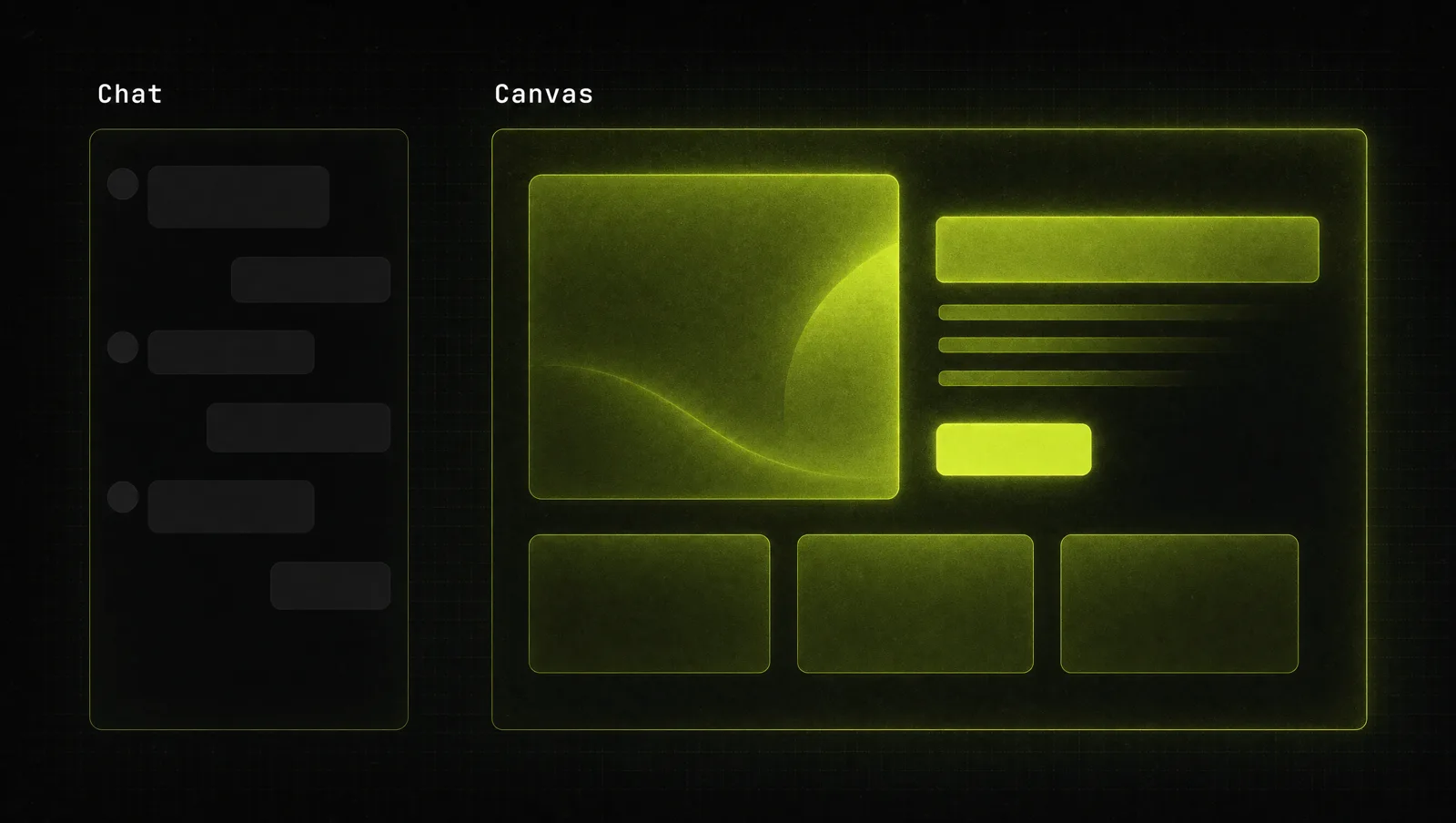
- Claude Design is an Anthropic Labs product where you describe what you want in a chat and Claude builds it on a canvas next to the conversation.
- It makes prototypes, slides, one-pagers, landing pages, wireframes and marketing assets, and exports to PDF, PowerPoint, HTML or tools like Canva.
- Set up your brand once as a design system and every new project uses your colors, fonts and components automatically.
- Finished designs can be handed off to Claude Code as a bundle, so a prototype can become production code.
- As of September 2026, it is in beta on the paid Pro, Max, Team and Enterprise plans and draws on the same usage limits as the rest of Claude.
What is Claude Design?
Claude Design is a product from Anthropic Labs that lets you work with Claude to create polished visual work like designs, prototypes, slides and one-pagers (Anthropic). You describe what you need, Claude generates a first version on a canvas, and you refine it through chat, comments on specific elements or by editing the canvas directly.
Anthropic launched it on April 17, 2026 as the first product out of Anthropic Labs (Anthropic). As of September 2026 it is in beta and you reach it at claude.ai/design, from any Claude conversation or from the Artifacts tab (Claude Help Center).
Who it is for: Anthropic positions it for designers who want to explore more directions, and for everyone else who needs visual work without being a designer, such as product managers sketching feature flows and founders turning a rough outline into a pitch deck (Anthropic). If you already use Claude Artifacts, Claude Design is the dedicated studio for visual work, with your brand built in.
The core: what you make and how it leaves Claude Design
The product rests on three pieces: a conversation, a canvas and a design system. You brief and steer in the conversation, and edit the design directly on the canvas. The design system holds your colors, typography, components and layout patterns, so you don't repeat your brand in every prompt (Claude Help Center).
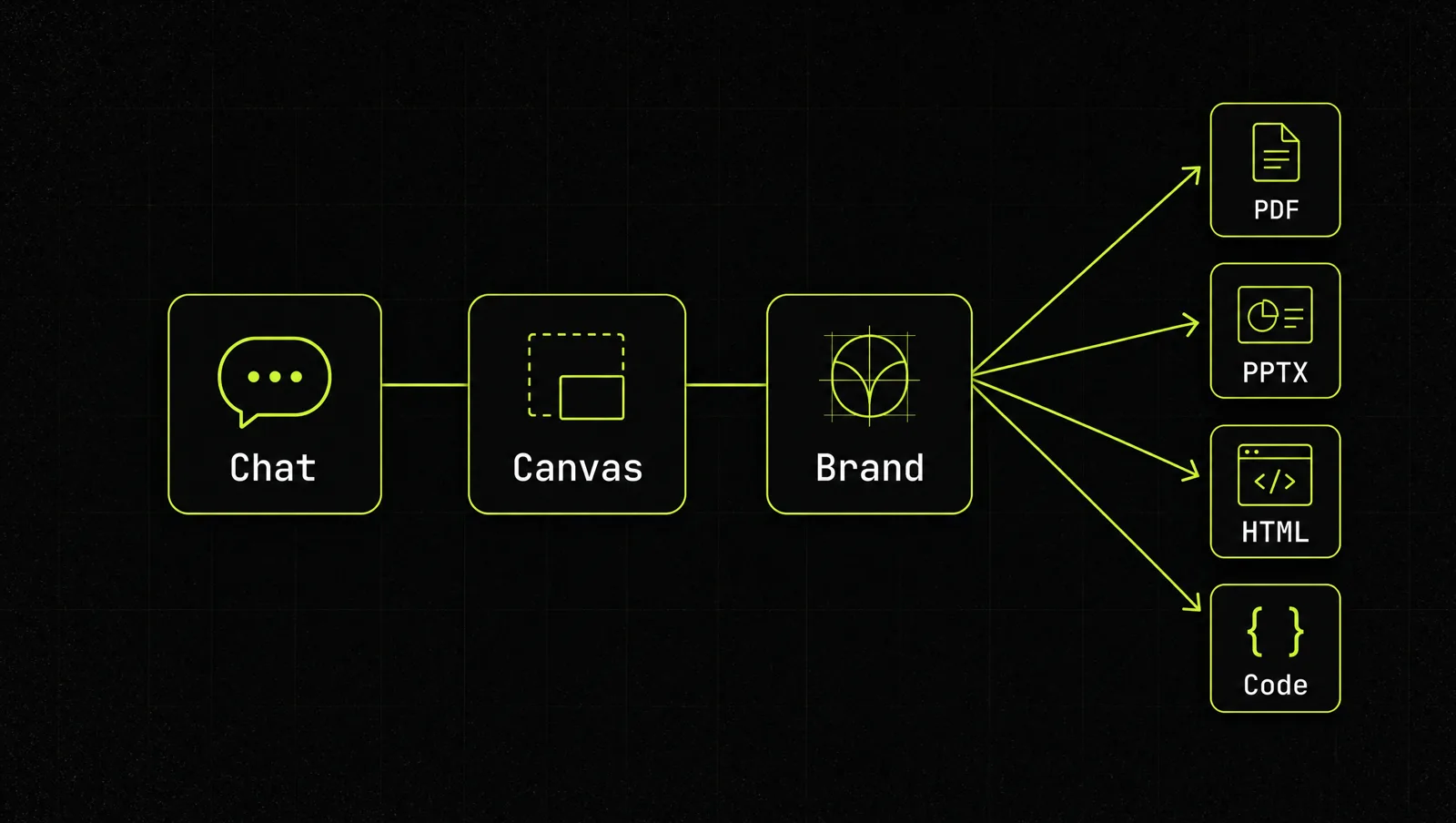
For business work, the question is always "what do I need at the end?" Here is how the documented project types map to the documented exports (Claude Help Center, Anthropic, Claude):
| What you need | What to give Claude | Where it goes next |
|---|---|---|
| Landing page | Offer, audience, one example page you like | Standalone HTML, hand off to Claude Code, or send to tools like Vercel or Wix |
| Pitch deck or sales deck | A rough outline or an existing doc | PPTX, PDF, Google Slides or Canva |
| UI mockup or prototype | Screenshots, your codebase, the user flow | Share link for feedback, or hand off to Claude Code |
| One-pager or proposal | The proposal text or a DOCX | |
| Brand and social assets | Logos, fonts, finished past campaigns | Canva or Adobe for final polish and publishing |
How to use Claude Design in 5 steps
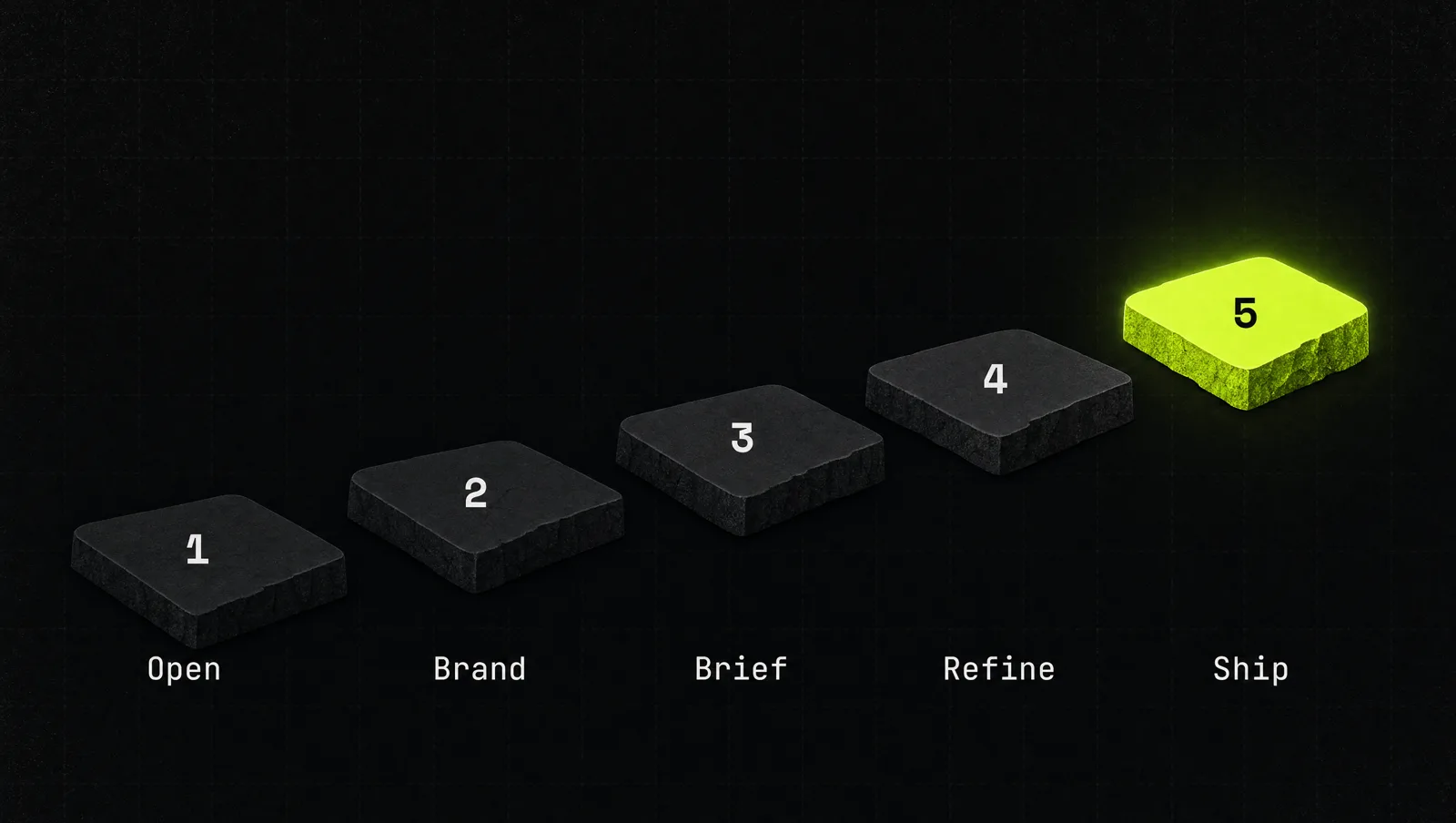
Step 1: Check access and open it
Claude Design is included in the paid plans: Pro, Max 5x, Max 20x, Team and Enterprise. The Free plan does not include it (Claude pricing, as of September 2026). Prices and plan contents change, so check the official pricing page before you buy, or read our breakdown of Claude pricing.
On Pro, Max and Team it is on by default. On Enterprise it is off until an admin enables it under Organization settings, then Artifacts (Claude Help Center). Open claude.ai/design in the browser or the desktop app. The iOS and Android apps let you view designs, but full editing needs the web or desktop.
Step 2: Turn your brand into a design system
This step separates generic output from work you can publish. At claude.ai/design, upload your brand material: logos, fonts, slide decks, an existing website, prototypes or a codebase. You can also connect a GitHub repository or design files (Claude Help Center).
Claude extracts your color palette, typography, UI components like buttons and cards, and spacing and grid rules. Review what it built, test it with a prompt like "Create a landing page for [product]", then switch the system to Published so your team's projects use it automatically. Anthropic's own tip: upload finished examples, not just specs, because a real marketing site shows Claude more than a color list does.
If your product already has React components, run /design-sync in Claude Code instead. It reads your tokens and components directly (Claude Help Center). New to the terminal side? Start with how to use Claude Code.
Step 3: Give context, then a specific brief
Claude Design accepts text prompts, images, documents like DOCX, PPTX and XLSX, your codebase, and a web capture tool that grabs elements from a website (Anthropic). A deck built from your real sales doc beats one built from a one-line prompt.
Then brief it like a designer: goal, audience, the one action you want, and the sections you need. Anthropic's tips are to start simple, be specific in feedback and reference design system components by name (Claude Help Center).
Step 4: Refine in three ways
You have three editing modes (Claude Help Center):
- Chat for broad changes, like a darker color scheme or a new section order.
- Inline comments on one element, like "make this button padding larger".
- Direct canvas editing to drag, resize and align elements yourself.
Ask for several variations to compare, check responsiveness early, and ask Claude for an accessibility and usability review before you ship. Nate Parrott, the product designer who built Claude Design, describes asking for ten or more variations and remixing the strongest ones (Claude blog).
Step 5: Share, export or hand off
Designs are private by default. You can share them so others can view, comment or edit, depending on the permissions you give (Claude Help Center). For files, export as a .zip, PDF, PPTX or standalone HTML, send to Google Slides (from claude.ai/design only), or push to connected tools such as Adobe, Canva, Miro, Netlify and Vercel.
For anything that needs to become real software, click Export, then "Hand off to Claude Code". Claude bundles the design files, the chat and a README, and gives you a prompt to paste into Claude Code or another coding agent (Claude Academy). Before handing off, name components clearly and ask for empty, error and loading states.
Limits to know (as of September 2026)
Claude Design is in beta, and Anthropic is open about the rough edges (Claude Help Center):
- Shared usage. It counts toward the same usage limits as the rest of Claude, with no separate allowance. Large codebases and complex projects use more. Usage credits can extend access after you hit your plan's limit. More on this in Claude usage limits.
- No version history yet. Export versions you want to keep.
- Collaboration is fragile. Several people editing at once is listed as unreliable, and inline comments sometimes don't stay visible.
- Big codebases can slow it down, and mobile editing is limited.
A real case: Brilliant and Datadog at launch
When Anthropic announced Claude Design on April 17, 2026, it published results from early users (Anthropic):
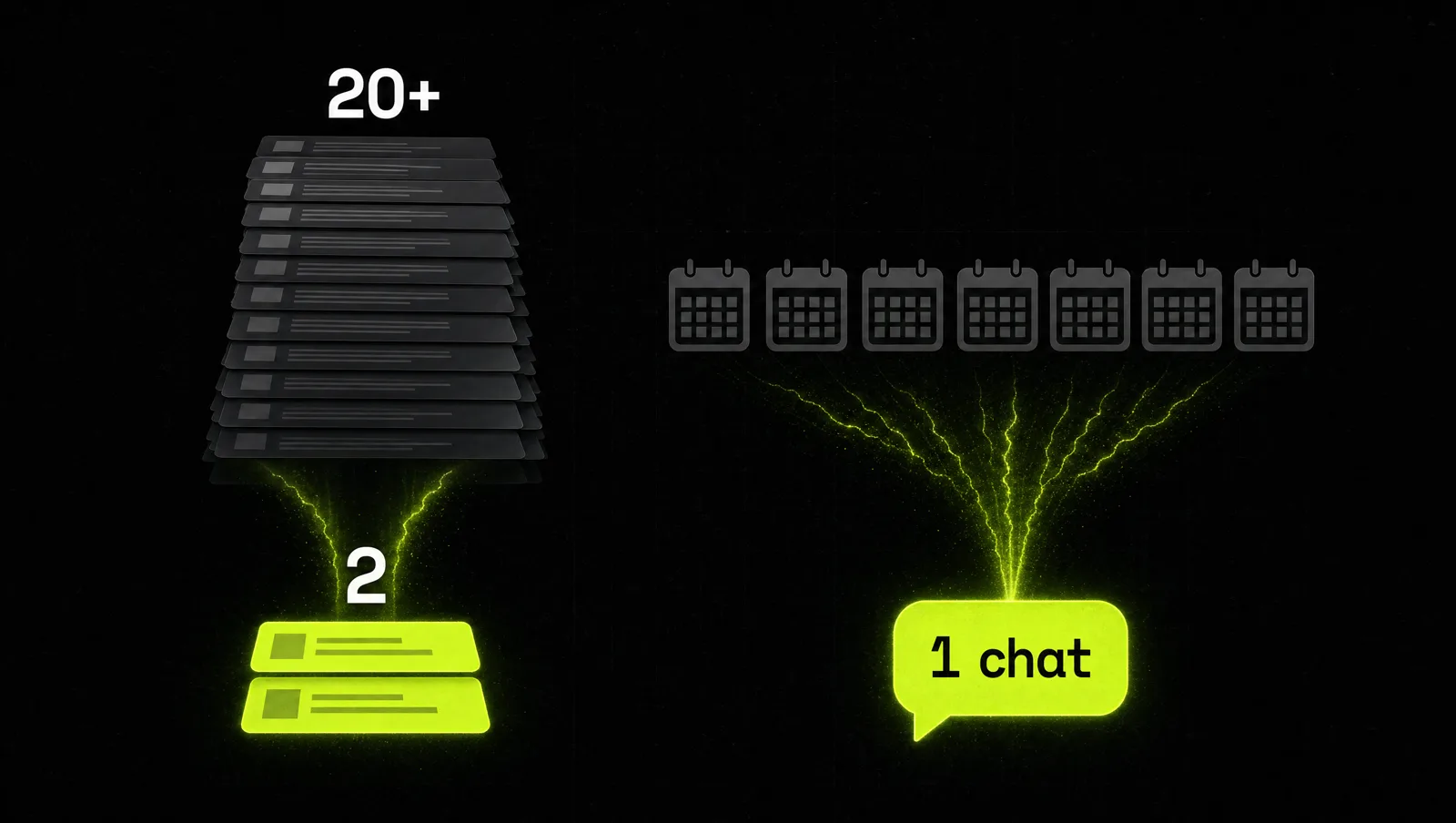
- Brilliant: Olivia Xu, Senior Product Designer, said their most complex pages took more than 20 prompts to recreate in other tools and only 2 prompts in Claude Design. She also credited the design intent included in Claude Code handoffs for a smooth jump from prototype to production.
- Datadog: Aneesh Kethini, Product Manager, said the team now goes from a rough idea to a working prototype before anyone leaves the room, with output that stays on brand. Work that used to take a week of briefs, mockups and review rounds now happens in a single conversation.
- Canva: Anthropic partnered with Canva so designs from Claude Design can move into Canva as editable, collaborative designs for further refinement and publishing.
Look at it through the system:
- Brand first: the design system, not the prompt, kept Datadog's output on brand.
- Context over clever prompts: Brilliant needed two prompts, not twenty, because Claude worked from real designs.
- Prototype, then react: a working prototype replaced review rounds on static files.
- Hand off, don't redo: the design moved to Claude Code with its intent attached.
The lesson: the speed comes from setting up the brand once, feeding real context, and showing a first version while the decision makers are still in the room.
Three use cases
The examples below are illustrative, not real clients. They show how a founder can use the same five steps for different jobs.
Use case 1: Service business launching a new offer
Before: the offer is ready, the landing page is two weeks out because the designer is booked.
After: with the design system published, the founder uploads the offer doc (built with the Grand Slam Offer method), asks for a landing page with one call to action, fixes headlines with inline comments and exports HTML the same day.
Use case 2: Startup preparing an investor or sales deck
Before: a rough outline in a doc and a blank slide template.
After: the outline and last quarter's numbers go in as documents. Claude builds an on-brand deck, the founder compares three versions of the story slide and exports to PPTX or Canva.
Use case 3: SaaS founder testing a new feature
Before: a feature idea discussed in calls, no shared picture, weeks until a developer builds a test version.
After: with the codebase linked, Claude Design creates a clickable prototype from real components, five customers comment on it, and the approved version goes to Claude Code.
How we run this with Claude
Inside CopyPasteCEO we use two prompts with Claude Design. Fill in the brackets.
Prompt 1: landing page brief
Make it yours · 0/6 filled
Using our published design system, create a landing page for [OFFER] aimed at [AUDIENCE]. The single goal of the page is [ACTION, e.g. book a call]. Sections in this order: hero with headline and one call to action, the problem [PROBLEM], how it works in 3 steps, proof [TESTIMONIALS OR RESULTS], offer and price [PRICE], FAQ with [NUMBER] questions, final call to action. Use only components from our design system. Make it responsive, then give me 3 variations of the hero so I can compare.Prompt 2: review before export or handoff
Make it yours · 0/2 filled
Review this design as a senior designer and a conversion copywriter. Check: 1) accessibility (contrast, font sizes, tap targets), 2) mobile layout, 3) whether every section moves the reader toward [ACTION], 4) anything that breaks our design system. List the issues by priority. Then add empty, error and loading states for [INTERACTIVE ELEMENTS] and name every component clearly so I can hand this off to Claude Code.These two prompts get you a first version and a clean handoff. Deciding what the page says, which offer leads and which variation converts is where most people get stuck, because that is judgment, not layout.
Where most people get stuck
Opening Claude Design takes a minute. Getting work you would publish takes a system. The usual reasons people give up:
- They skip the design system. Without your brand loaded, every output looks generic, and they conclude the tool is weak.
- They prompt with one line. No offer doc, no audience, no example, so Claude guesses, and the guess needs twenty rounds of fixes.
- They treat the mockup as the finish line. The design never gets exported, handed off or put in front of customers, so nothing ships.
That is the gap the Inner Circle is built for: playbooks for turning Claude into your design and launch workflow, a new playbook every week, and founders building next to you.