Claude Pricing 2026: Every Plan Explained (Free, Pro, Max, Team, Enterprise) and How to Pick the Right One
Most founders pick an AI plan the lazy way. They see a price, pay it, and never check again. Some end up on the cheapest plan and hit a usage wall every afternoon. Others pay for a top tier they use like a free account. Both lose money, just in different directions.
This guide explains Claude pricing plan by plan, using only what Anthropic publishes on its own pages. You get every plan in plain words, who each one is for, a short pointer to API pricing, a real company that earned its money back, and a 5-step way to pick the plan that fits how you actually work.
The short version:
- As of September 2026, Claude has five plans: Free ($0), Pro ($20 per month, or $17 per month billed annually), Max (from $100 per month), Team (from $20 per seat per month) and Enterprise (seat fee plus usage at API rates).
- Pro is the default for one person who uses Claude most days and wants Claude Code included.
- Max buys 5 or 20 times the usage of Pro per session and is for people who hit the Pro limit regularly.
- Team starts at two people and adds central billing, SSO and admin controls; Enterprise adds compliance controls and bills usage separately.
- Developers who build Claude into their own product pay per token through the API, which is a separate price list.
What is Claude pricing?
Claude pricing is the set of subscription plans Anthropic sells for using Claude in the web, desktop and mobile apps (Free, Pro, Max, Team and Enterprise), plus the separate pay-per-token pricing for developers using the Claude API. Individual plans differ mainly in how much usage you get per session and which features are included; business plans add admin, security and billing controls.
All prices in this article come from the official Claude pricing page and the Claude Help Center, as of September 2026. Prices shown there don't include tax. Prices and limits change, so always check the official page before you buy.
The core: five plans on one page
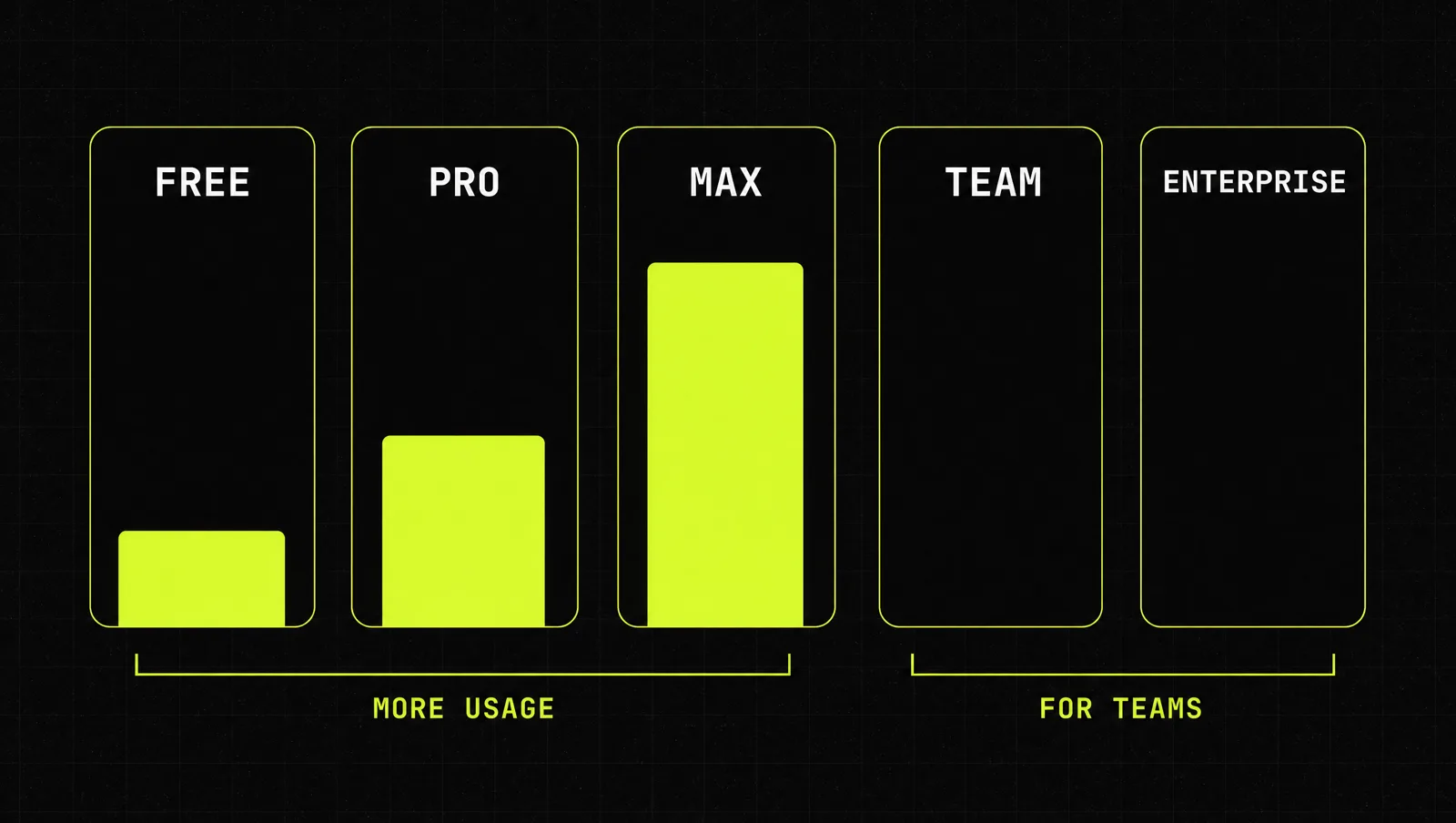
| Plan | Price (as of September 2026) | Usage | Best for |
|---|---|---|---|
| Free | $0 | Basic allowance | Trying Claude, occasional questions |
| Pro | $20/month, or $17/month billed annually ($200 up front) | More than Free, resets every 5 hours plus a weekly limit | Solo founders using Claude most days |
| Max | $100/month (Max 5x) or $200/month (Max 20x) | 5 or 20 times Pro per session | Heavy daily users, long Claude Code sessions |
| Team | Standard seat $25/month or $20 annually; Premium seat $125/month or $100 annually | Standard 1.25x Pro, Premium 6.25x Pro per session | Teams of 2 to 150 people |
| Enterprise | $20 per seat per month, billed annually, plus usage at API rates | No per seat cap, spend limits set by admins | Larger companies, compliance needs |
Here is what each plan actually gives you.
Free. The pricing page lists chat on web, desktop and mobile, web search, file creation, code execution, memory, app connections and artifacts. The catch: less usage, and some models and features are reserved for paid plans.
Pro. According to the Pro plan help article, Pro costs $20 per month in the US, with more usage per session than Free, priority access at busy times and early access to new features. The pricing page adds Claude Code, Projects, more models, task scheduling and the Chrome and Microsoft 365 extensions. Limits reset every five hours, and there is also a weekly limit across all models. When you hit the ceiling, you can turn on usage credits to keep working. More detail in our guide to Claude usage limits.
Max. The Max plan article lists two tiers: Max 5x at $100 per month and Max 20x at $200 per month, with five or twenty times the Pro allowance per session. Max also gets priority access to new models and features, Claude Code, and longer background tasks through Claude Cowork. If you are deciding between the two individual paid plans, read Claude Pro vs Max.
Team. The Team plan article describes two seat types. Standard seats cost $25 per month (or $20 billed annually) and include 1.25 times the Pro allowance per session. Premium seats cost $125 per month (or $100 annually) and include 6.25 times the Pro allowance, for power users. The plan needs at least 2 members and tops out at 150 seats. You get SSO, role based permissions, central billing, spend controls, enterprise search, Claude Code and connectors for tools like Google Drive, Gmail, GitHub and Microsoft 365.
Enterprise. The pricing page lists Enterprise at $20 per seat per month, billed annually, plus usage at API rates. The Enterprise billing article explains the split: the seat fee covers access, and usage is billed on top based on what your team actually consumes. Admins can set spend limits for the whole organization and for each person. On top of Team, the pricing page lists SCIM, audit logs, a compliance API, custom data retention and a HIPAA ready option.
API (a short pointer). If you build Claude into your own software, you don't buy a plan, you pay per million tokens. As of September 2026, the models overview lists Claude Haiku 4.5 at $1 input and $5 output, Claude Sonnet 5.5 at $2 and $10, Claude Opus 5.5 at $4 and $20, and Claude Fable 5.1 at $10 and $50, with batch requests 50% off. The full breakdown, including caching, is in our Claude API pricing guide. If your main question is coding, Claude Code pricing covers which plans include it and when API billing makes more sense.
How to pick the right Claude plan in 5 steps
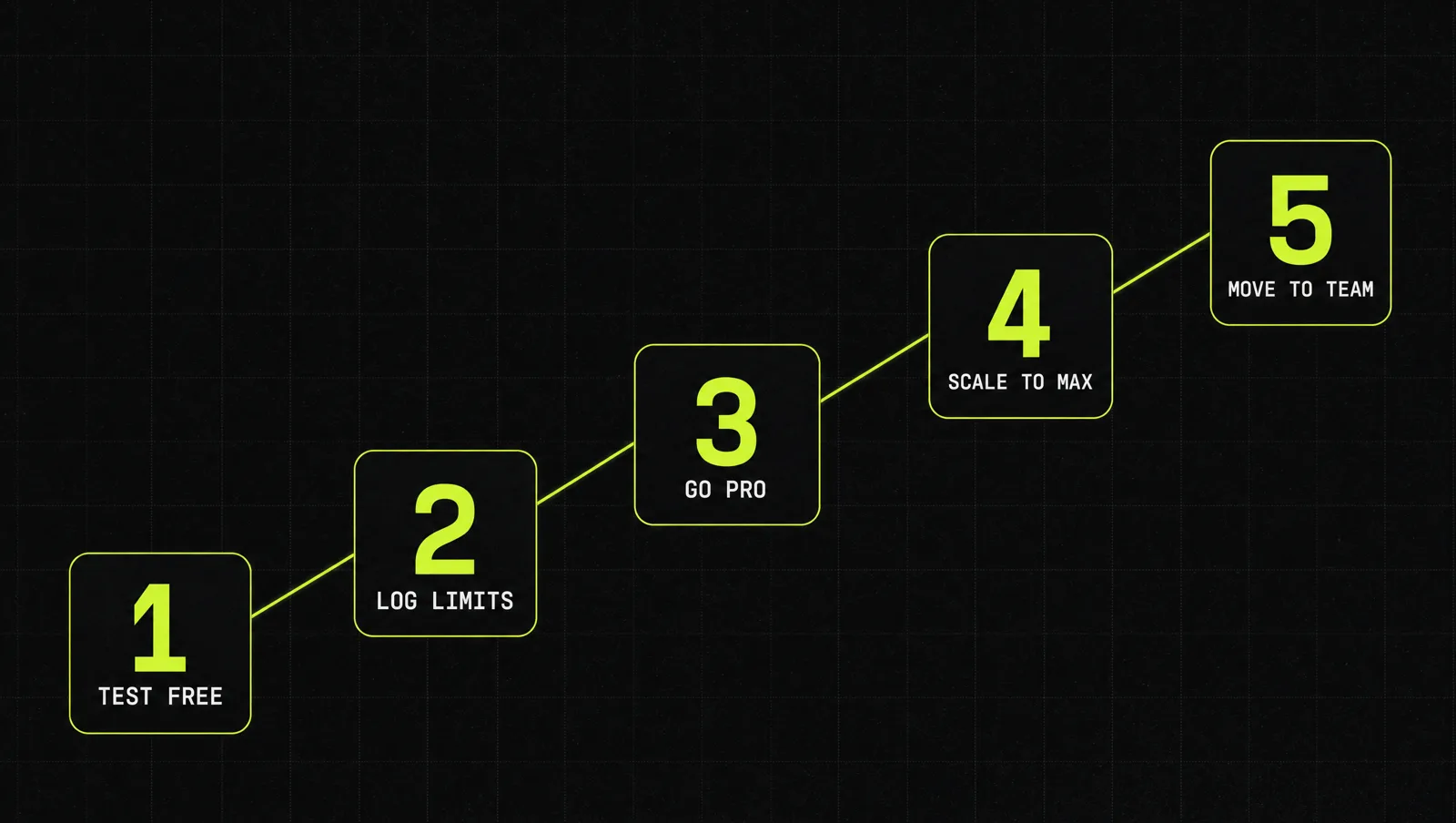
Step 1: Start with one week on Free, using your real work
Don't pick a plan from a feature list. Run three tasks you really do every week, like a client email, a weekly report and a proposal draft, through Claude Free for a week. You learn fast whether Claude helps and how quickly you hit the ceiling.
Step 2: Write down every time you hit a wall
Keep a simple note: date, what you were doing, what stopped you. The walls come in three kinds. A usage limit (you ran out and had to wait), a missing feature (you wanted Claude Code, a stronger model or an extension) or a team problem (someone else needed the same files and instructions). The kind of wall decides the plan, not the price.
Step 3: Move to Pro if the walls are about usage or features, and you work alone
If you hit the Free limit more than twice in a week, or you need Claude Code or Projects, Pro is the obvious next step. Pay monthly for the first month. Switch to annual billing ($17 instead of $20 per month, as of September 2026) only once you are sure you will keep using it.
Step 4: Move to Max only when Pro stops you several times a week
Pro resets every five hours, so an occasional wait is normal. If you wait several times a week, especially during long coding or research sessions, Max 5x is the next step. Max 20x is for people who run Claude as their main work tool all day. Before you upgrade, check whether turning on usage credits for the odd heavy week is cheaper than a permanent upgrade.
Step 5: Move to Team when two or more people need the same setup
Once a second person needs your projects, prompts and connectors, individual plans get messy. Team fixes that with central billing, SSO and admin controls. Give Premium seats only to the heavy users, and Standard seats to everyone else. Look at Enterprise when you need more than 150 seats, audit logs or custom data retention, and look at the API when you want Claude inside your own product rather than in the chat app.
A real case: IG Group paid back its Claude rollout in under three months

IG Group is a financial services company that rolled out Claude Enterprise across several departments. Anthropic published the results in an official customer story:
- The rollout ran in phases from December to April, with a target of at least 60% adoption across the organization.
- The analytics team saved 70 hours every week, mainly by having Claude write SQL queries and automate data processing.
- HR used Claude to help managers with performance review feedback, and marketing used it for content creation and translation for global campaigns.
- Some use cases saw productivity double, and speed to market saw triple digit improvements.
- Spending on outsourcing and agencies went down significantly.
- The rollout paid for itself in less than three months.
Olga Pirog, who leads the data and AI transformation team, put the choice simply: "Claude could solve problems that other models could not."
Look at it through the system:
- Real work first: the gains came from concrete, repetitive jobs in HR, marketing and analytics, like SQL work eating analyst hours.
- Team setup: several departments on one company plan with central control, not a pile of individual subscriptions.
- The math: 70 hours a week in one team alone is close to two full time people. Against that, the seat fees are small.
The lesson: the cheapest plan isn't the one with the lowest price. It is the one where the hours you save are clearly bigger than what you pay, and you only know that if you measure.
Three use cases
The examples below are illustrative, not real clients. They show how the 5 steps lead to different plans.
Use case 1: Solo consultant
A consultant uses Claude for proposals, meeting summaries and client reports. On Free she hits the limit about three times a week (Step 2). She moves to Pro, then to annual billing after a month. Her work comes in short bursts, so she never needs Max.
Use case 2: Founder who codes every day
A technical founder builds his product with Claude Code for six to eight hours a day. On Pro he waits for resets almost daily. He moves to Max 5x and rechecks his log after a month before considering Max 20x.
Use case 3: Six person agency
An agency has two heavy users (strategy and content) and four occasional users (account managers, finance). Instead of six separate Pro accounts, it moves to Team: two Premium seats, four Standard seats. Our guide to Claude for business shows how to roll that out department by department.
How we run this with Claude
Inside CopyPasteCEO we let Claude audit its own plan. Here are the two prompts we use, copy-paste ready. Fill in the brackets.
Prompt 1: pick the right plan from your usage log
Make it yours · 0/3 filled
You are an AI cost advisor. Here is my usage log from the last [NUMBER] days: [PASTE YOUR NOTES: date, task, what stopped me]. I work [ALONE / WITH NUMBER PEOPLE] and use Claude mainly for [MAIN TASKS]. Using only these plans and prices as of today: [PASTE THE CURRENT PLANS FROM claude.com/pricing], recommend one plan. Explain in 3 sentences why, name the one signal that would tell me to upgrade later, and name the one signal that would tell me to downgrade.Prompt 2: calculate the ROI of a paid plan before you buy
Make it yours · 0/5 filled
I want to decide if [PLAN] at [PRICE PER SEAT PER MONTH] for [NUMBER] people pays off. These are the recurring tasks Claude would take over: [TASK, HOURS PER WEEK TODAY, PERSON]. Our loaded cost per hour is [HOURLY COST]. Estimate conservatively how many hours per week Claude could save per task, show the monthly cost versus the monthly value in a table, and tell me the payback period. Flag every assumption I should check in the first 30 days.Run the first after your one week test and the second before any Team or Enterprise purchase. Repeat both every quarter.
Where most people get stuck
Choosing a plan takes ten minutes. Getting your money's worth takes a system, and that is where most founders stop:
- They pay and then use Claude like a search engine. Without repeatable workflows, even Pro is too expensive.
- They never measure. No usage log, no hours saved, so they can't tell if they should upgrade, downgrade or roll it out to the team.
- They set it up alone. Every workflow is built from scratch, with nobody to show what already works.
That is exactly the gap the Inner Circle is built for: playbooks to put your Claude plan to work, a new playbook every week, and founders building next to you who are solving the same problems.