Claude Usage Limits Explained: How Session and Weekly Limits Work on Every Plan

You are halfway through a proposal or a Claude Code session, and Claude stops: you have hit your limit. You don't know when it comes back, or whether this morning's chat or the terminal session you left running burned through it. For a founder who runs real work on Claude, that is a broken workflow.
This guide shows you how Claude usage limits work on each plan, exactly as Anthropic documents them, and how to get more work out of the same limit. You get session and weekly limits explained, how Claude Code and chat share one pool, your options when you hit the wall, and a five-step system to make a plan last longer.
The short version:
- Claude usage limits control how much you can use Claude over a period of time. Paid plans have a five-hour session limit and a weekly limit.
- Everything you do on claude.ai, Claude Desktop, Claude Code and Cowork draws from the same pool, so chat and coding compete for one allowance.
- How fast you use the limit depends on conversation length, attachments, tools, model choice and effort level, not only on the number of messages.
- When you hit a limit on Pro or Max you can wait for the reset, upgrade, or turn on usage credits billed at standard API rates.
- The biggest savings come from short, focused conversations, projects for reused files, the right model for the job and batching related requests.
What are Claude usage limits?
Claude usage limits are the caps on how much you can interact with Claude over a specific time period. Anthropic says they depend on conversation length and complexity, the features you use, the model you pick and the effort level (Claude Help Center). They are different from length limits, which is how much a single chat can hold in Claude's context window.
On Pro, Max, Team and seat-based Enterprise plans you can see both limits under Settings > Usage, with progress bars for your five-hour session and your weekly usage (Claude Help Center). Anthropic does not publish a fixed number of messages or tokens per session. The official pages describe limits in relative terms, such as 5x more than Pro.
The core: how the limits fit together

Think of it as two meters: a session meter that refills every five hours, and a weekly meter that caps the total. Both apply across all models, and every Claude surface drains the same two meters (Claude Help Center).
Here is what the official pages say per plan, as of September 2026:
| Plan | Price (as of September 2026) | Usage as documented | Claude Code |
|---|---|---|---|
| Free | $0 | Base allowance, Sonnet and Haiku | Not included |
| Pro | $20 per month billed monthly, $17 per month billed annually | At least 5x more usage per 5-hour session than Free, plus a weekly limit across all models | Included, shares the same limits |
| Max 5x | $100 per month | 5x the Pro usage per session, plus a weekly limit | Included, shares the same limits |
| Max 20x | $200 per month | 20x the Pro usage per session, plus a weekly limit | Included, shares the same limits |
Sources: Claude pricing, Pro plan, Max plan. Prices change, so always check the official pricing page before you buy. For a full comparison of the two paid tiers, read our Claude Pro vs Max breakdown, and for every plan in one place see Claude pricing.
A few documented details that matter in practice:
- Resets. The session limit resets every five hours. The Pro weekly allowance resets on a fixed day assigned to your account (Pro plan).
- Extra caps. Anthropic states it may add other limits, such as weekly and monthly caps or limits on specific models and features, at its discretion.
- Fable models. On Max, up to 50% of your weekly limit can go to the Fable models at no extra cost. On Pro, Fable runs on usage credits, outside the included limits (Claude Help Center).
- Automation counts too. The Claude Agent SDK,
claude -pand third-party apps built on the SDK still draw from your subscription limits. A planned change to separate them was paused on June 15, 2026 (Claude Help Center).
How Claude Code usage and chat share one limit
Claude Code is included in Pro and Max and uses the same limits as your chats (Claude Help Center). A long morning in the terminal leaves less for chat in the afternoon.
Coding also burns faster. Anthropic's Claude Code docs explain that every turn resends the full conversation, the project context and your new prompt, and that each tool call adds another request (Claude Code docs). Inside Claude Code, the /usage command shows your plan bars plus a breakdown of what used them: skills, subagents, MCP servers, and behaviors like long context or cache misses.
What happens when you hit a limit
You see a message that you have reached your session or weekly limit, with the time it resets. The session and weekly windows are shared across all models, so switching models does not bring you back. Only a model-specific message, such as an Opus limit, can be worked around by switching to another model family (Claude Code docs).
Your documented options on Pro and Max (Claude Help Center):
- Wait for the reset time shown in the message.
- Upgrade: Pro to Max 5x, or Max 5x to Max 20x.
- Turn on usage credits (formerly called extra usage). You keep working at standard API rates, billed separately from the subscription. You enable it under Settings > Usage, prepay a balance, and can set a monthly cap, auto-reload and alerts (Claude Help Center).
- Buy a usage bundle. Pro, Max and Team can buy discounted credit bundles, with savings of up to 30% depending on size. These credits only apply once you are past your plan limits (Claude Help Center).
- Use a limit reset if your account has one. It restores your session or weekly limit to full, from Settings > Usage on web or desktop (Claude Help Center).
How to get more out of your Claude usage limits in 5 steps
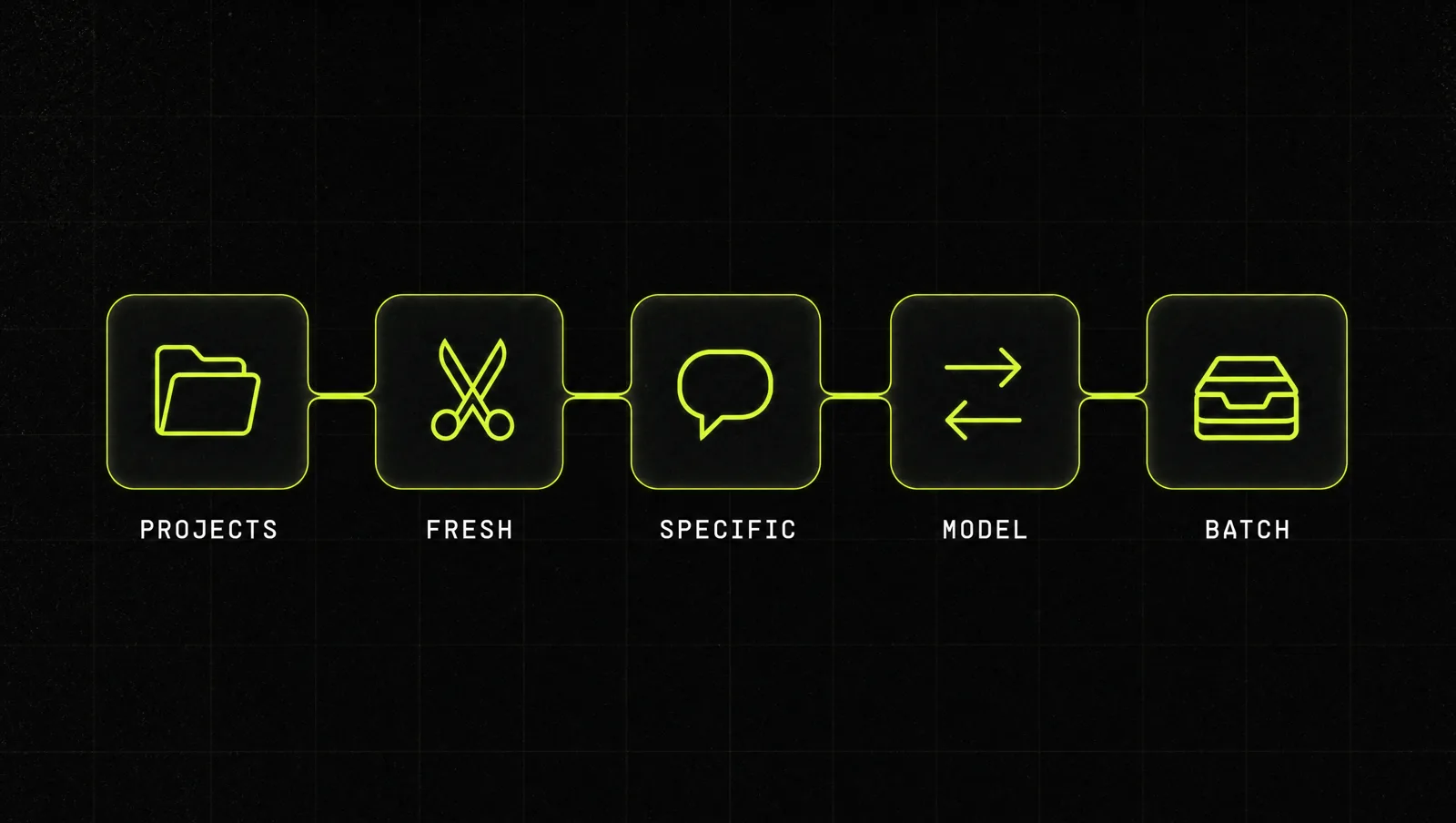
Upgrading is the expensive fix. First make the allowance you have go further. Each step is based on Anthropic's own recommendations.
Step 1: Put reused files in a project
If you paste the same price list, brand guide or client brief into every chat, you pay for it every time. Anthropic says content in projects is cached and counts less against your limits when reused (Claude Help Center). Upload the files you reference repeatedly once, into a project, and run the work inside it. Our guide to Claude Projects and Artifacts shows the setup.
Step 2: Keep conversations short and start fresh
Long chats are the silent limit killer, because the whole history travels with every new message. When a task is done, start a new chat. In Claude Code, run /clear between unrelated tasks, and keep your CLAUDE.md lean, since it loads on every turn. Anthropic suggests keeping it under 200 lines and moving specialized instructions into skills that only load when needed (Claude Code docs).
Step 3: Write specific, complete prompts
Every clarification round costs usage. Give Claude the goal, the context and the expected output in the first message, and review the message before you send it (Claude Help Center). In Claude Code, "add input validation to the login function in auth.ts" is far cheaper than "improve this codebase", because a vague request triggers broad scanning of files.
Step 4: Match the model and effort to the job
Model choice and effort level both affect how fast you use your limit. For most everyday work, Claude Sonnet 5.5 is documented as the best combination of speed and intelligence, and Claude Haiku 4.5 as the fastest model. Keep Claude Opus 5.5 and Claude Fable 5.1 for hard reasoning and long agentic work (Claude models overview). In Claude Code, /model opusplan plans with Opus and executes with Sonnet, and /effort lowers thinking for simple tasks. See our Claude models guide for when to use which.
Step 5: Batch related requests
Anthropic's own advice is to plan the conversation and combine related questions into a single message (Claude Help Center). Collect small tasks through the day and send them together.
A real case: Anthropic doubled Claude Code limits in May 2026

On May 6, 2026 Anthropic announced higher usage limits together with a compute deal with SpaceX (Anthropic). The facts from that post:
- Claude Code five-hour rate limits were doubled for Pro, Max, Team and seat-based Enterprise plans, effective the same day.
- The peak-hours limit reduction on Claude Code was removed for Pro and Max accounts.
- API rate limits for the Opus models were raised considerably.
- Anthropic said it would use all of the compute at SpaceX's Colossus 1 data center, more than 300 megawatts of new capacity with over 220,000 NVIDIA GPUs, and that this would directly improve capacity for Pro and Max subscribers.
Look at it through the system:
- Limits follow capacity. The session limit is not a law of nature. When Anthropic adds compute, limits can go up, sometimes overnight.
- Claude Code got the biggest lift. That tells you where the demand is: long agentic coding sessions, which burn far more than chat.
- Your habits still decide the outcome. A doubled limit spent on bloated sessions disappears just as fast.
The lesson: treat Claude usage limits as a moving number and your usage habits as the fixed system. Check Settings > Usage and the official plan pages every few months, and optimize the habits before you optimize the plan.
Three use cases
These are illustrative examples, not real clients. They show how the same five steps change the picture for different kinds of founders.
Use case 1: Solo consultant on Pro. She kept hitting her session limit by lunch. She moved her rate card, case studies and tone guide into one project, started a new chat per client, and batched follow-up emails into one message. Same plan, free afternoons.
Use case 2: Technical founder using Claude Code. He ran one terminal session all day on Opus. He now runs /clear between tasks, uses opusplan so Opus only writes the plan, and checks /usage weekly to see what eats the most.
Use case 3: Small agency on Max 5x. Instead of jumping to Max 20x, they turned on usage credits with a monthly cap for crunch weeks. They pay extra only on the days they need it, with a hard ceiling.
How we run this with Claude
Inside CopyPasteCEO we use Claude itself to audit how we use Claude. Here are the two prompts, copy-paste ready. Fill in the brackets.
Prompt 1: audit your usage habits
Make it yours · 0/1 filled
You are an efficiency coach for Claude users. Here is how I used Claude this week: [LIST YOUR MAIN TASKS, HOW LONG EACH CHAT OR CODE SESSION RAN, WHICH MODEL YOU USED, AND WHEN YOU HIT A LIMIT]. My plan is [PLAN]. Identify the three habits that most likely burned my session and weekly limits, and for each one give me a concrete change: when to start a new chat, what to move into a project, which tasks to batch, and which model to use instead.Prompt 2: turn a pile of small requests into one batched message
Make it yours · 0/1 filled
I have these small tasks for today: [PASTE YOUR LIST]. Group them into one structured message I can send to Claude in a single turn. Put shared context once at the top, number each task, and state the output format for each. Flag any task that needs a separate conversation because it needs a lot of files or a different model.These two prompts cover steps 3 and 5. Steps 1, 2 and 4, building the right projects, cleaning up sessions and choosing models per workflow, are where most people get stuck.
Where most people get stuck
Understanding Claude usage limits takes ten minutes. Changing the habits that burn them takes longer. The usual reasons people fall back:
- They upgrade instead of fixing the workflow. A bigger plan hides the problem for a month, then the limit hits again.
- They never set up projects properly. The same files get pasted into every chat, and the savings never happen.
- They run coding and chat without a plan. Claude Code and chat drain the same pool, and nobody decides which work gets priority.
That is exactly the gap the Inner Circle is built for: playbooks for running Claude as a real business system, a new playbook every week, and founders building their own setups next to you.