Claude Projects and Claude Artifacts: How Founders Run Repeatable Work With Them
Most founders use Claude like a very smart stranger. Every chat starts from zero: paste the pricing again, explain the brand voice again, describe the customer again. The output is good, but it is never quite the same twice, and nothing you build in one chat is easy to find or reuse in the next.
Two features fix this when you use them together. This guide shows you how to use Claude Projects and Claude Artifacts to turn recurring business work into a system: one project per workflow, with its own knowledge and instructions, and artifacts as the reusable documents and mini tools that workflow produces. You get the definitions, a five-step setup, a real company that rolled this out across its whole team, and the two prompts we use to build a project.
The short version:
- A Claude Project is a self-contained workspace with its own chat history, knowledge base and custom instructions, so Claude starts every chat in that project with the same context.
- A Claude Artifact is a finished piece of work Claude makes for you, such as a document, deck, dashboard or small interactive tool, that you can edit, reuse and share.
- The winning pattern is one project per repeatable workflow, not one project per client or per idea.
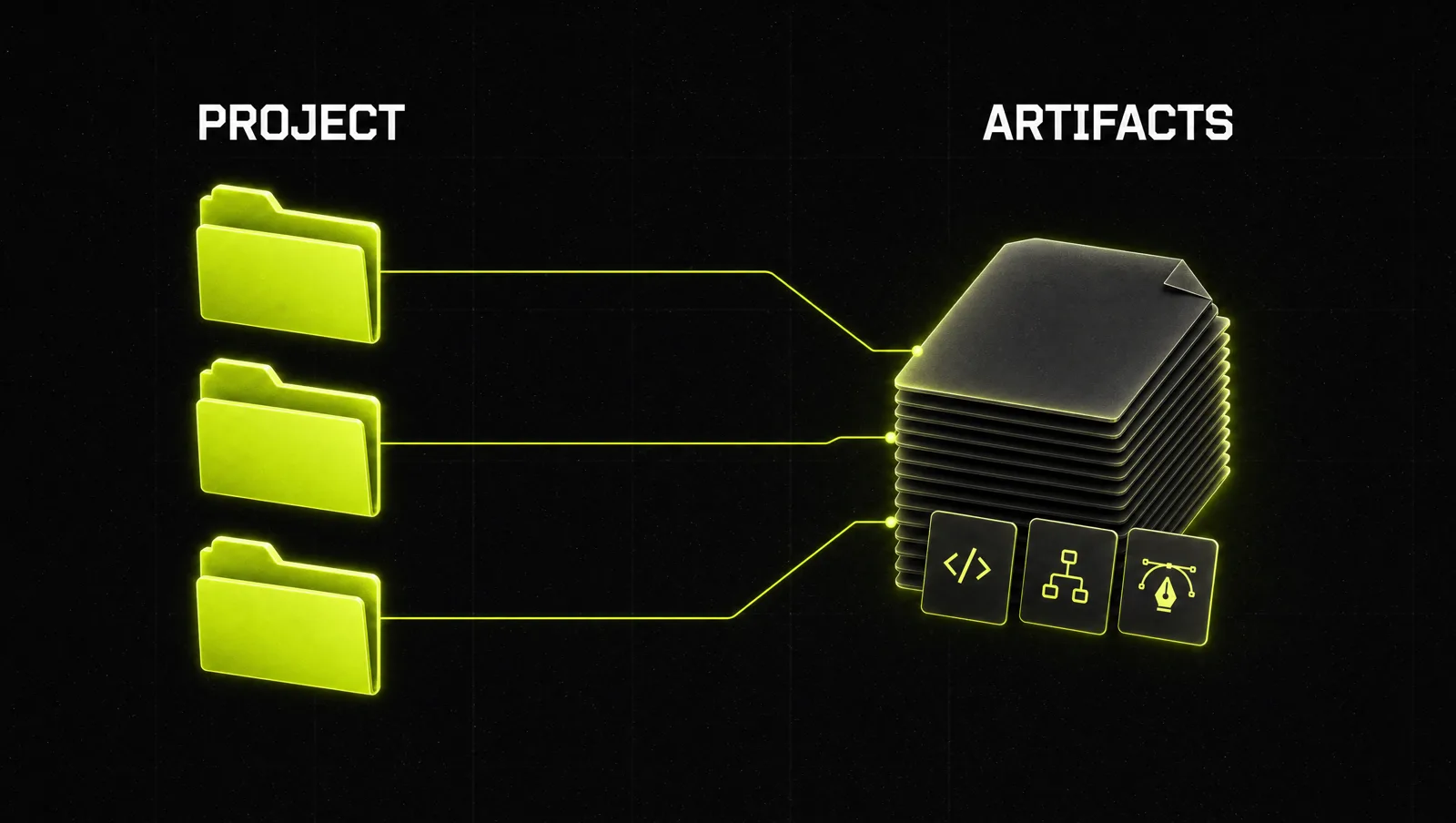
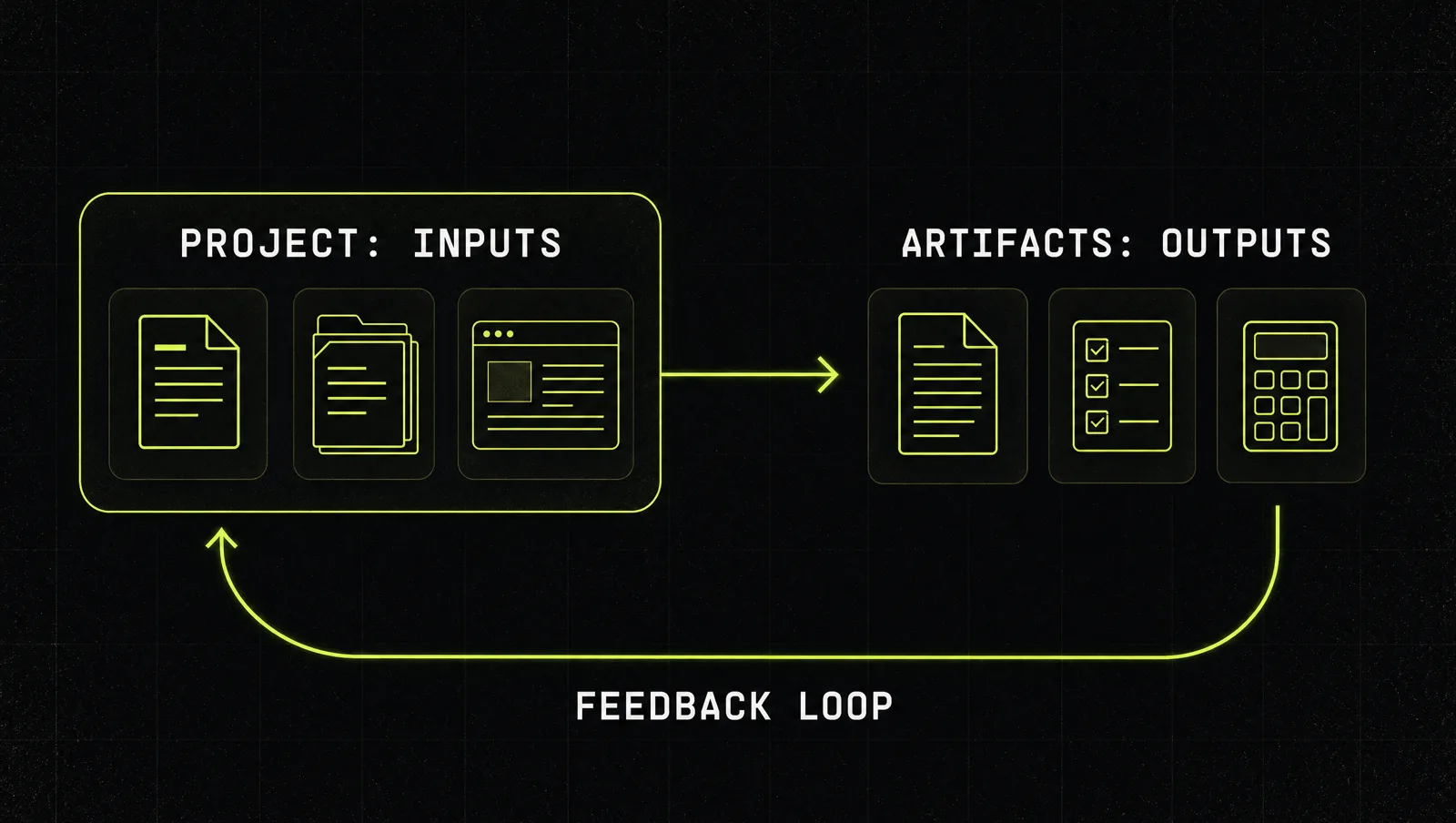
- Projects hold the inputs (rules, examples, reference files). Artifacts hold the outputs (templates, checklists, calculators, reports).
- Every time an output gets better, feed the improved version back into the project, so the next run starts from your best work.
What are Claude Projects and Claude Artifacts?
Claude Projects are self-contained workspaces with their own chat histories and knowledge bases. You upload documents, text or code to a project's knowledge base and set project instructions, and Claude uses both as context in every chat inside that project (Claude Help Center). Anthropic launched Projects in June 2024 with the goal of grounding Claude's answers in your internal knowledge, like style guides, codebases, interview transcripts or past work (Anthropic).
Claude Artifacts are the finished things Claude makes for you to show or hand to someone else. That covers documents, code, websites, diagrams, dashboards and small interactive tools. Claude creates one automatically when content is substantial (typically over 15 lines), self-contained and likely to be edited or reused, and you can also ask for one in any chat (Claude Help Center).
In one sentence: projects give Claude a memory for a type of work, and artifacts give that work a reusable form.
A few documented details matter for founders (as of September 2026):
- Projects are available on every plan. Free accounts can create up to five, paid plans have no project limit (Claude Help Center).
- On paid plans, when project knowledge gets close to the context limit, Claude switches on retrieval (RAG) automatically, which Anthropic says expands capacity by up to 10x (Claude Help Center).
- On Team and Enterprise plans, projects can be shared with colleagues as view only or edit access (Claude Help Center).
- Everything you make lands in the Artifacts tab in the sidebar, so you can find it from any conversation (Claude Help Center).
- Artifacts can call Claude themselves and work as small AI apps. People who use a shared app sign in with their own Claude account, so their usage counts against their own plan, not yours (Claude blog).
Projects are also changing. In September 2026 Anthropic started a beta of redesigned projects that run as one conversation with parallel threads, first for some Pro and Max users in Claude Code, with chat and Team or Enterprise plans coming later (Claude blog). Existing projects keep working as before, and everything in this guide uses the version that is documented for chat today.
The core: inputs live in the project, outputs live in artifacts
The two features do different jobs. A project is the briefing room. An artifact is the finished deliverable that leaves the room.
| Claude Project | Claude Artifact | |
|---|---|---|
| Job | Holds the context for one type of work | Holds one finished output of that work |
| What goes in it | Instructions, examples, reference files, past best work | A document, deck, checklist, dashboard or mini tool |
| Lifespan | Months or years, grows over time | One version per use, improved by iteration |
| Who uses it | You and Claude, plus colleagues on Team or Enterprise | Anyone you share it with |
| When it gets better | When you add better instructions and examples | When you edit it in chat or directly |
| Typical mistake | One giant project for everything | Rebuilding the same tool from scratch each week |
The system is a loop: the project produces artifacts, the best artifacts become examples in the project, and the next run starts from a higher level. That loop is what turns Claude from a clever chat into a repeatable operation. If you want the bigger picture of running a company this way, read Claude as your operations system.
How to set up Claude Projects and Artifacts in 5 steps
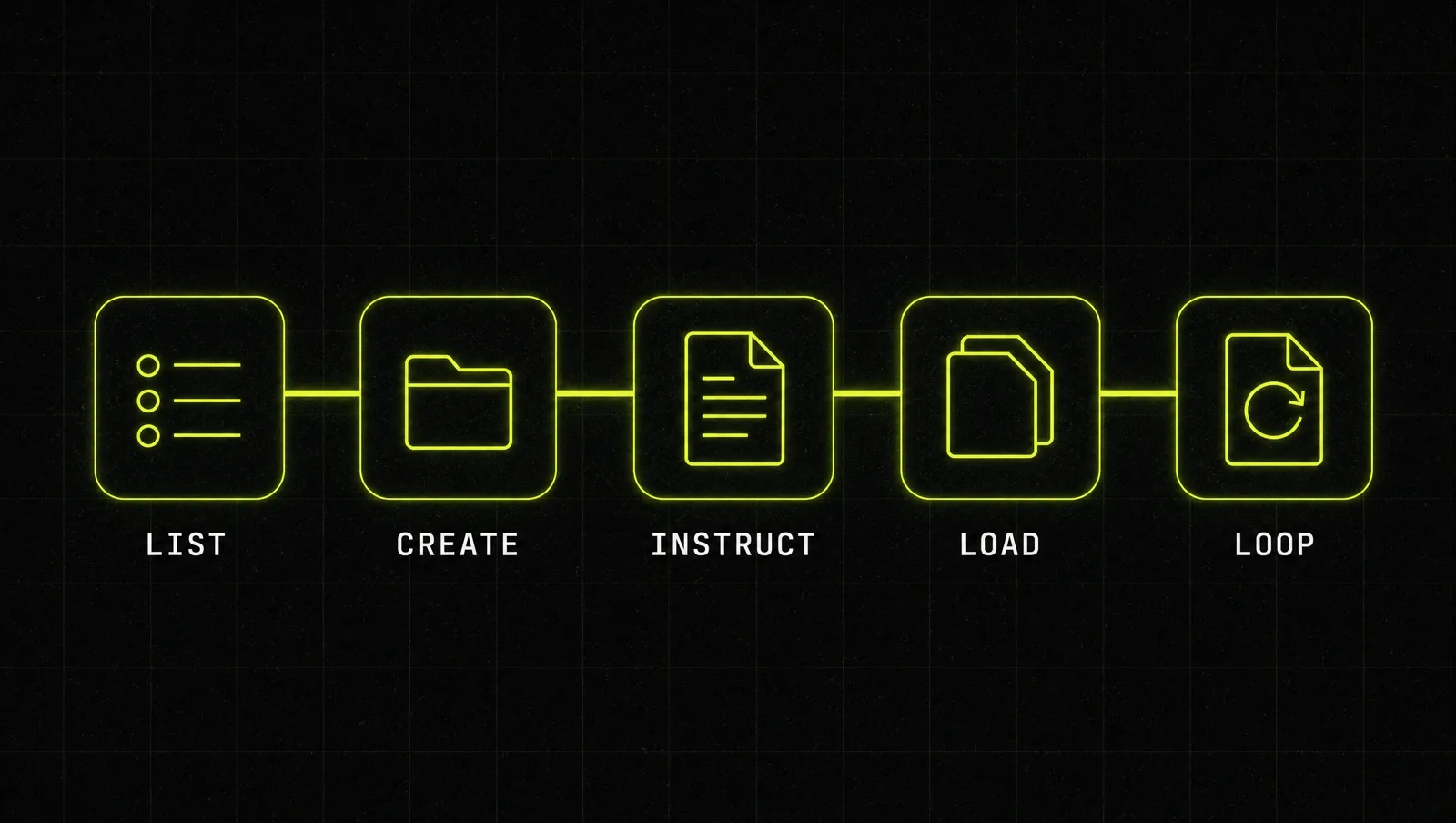
Step 1: List the work you repeat every week
Write down every task that comes back at least twice a month in roughly the same shape: proposals, onboarding emails, weekly reports, call prep, content drafts. Pick the three that cost the most time. Each becomes one project. A project per workflow beats a project per client, because the rules for "how we write proposals" stay the same across clients, while client details are just an input to each chat.
Step 2: Create the project and name it after the output
Go to the Projects page in Claude, click "New Project", and give it a name and description (Claude Help Center). Name it after what it produces, like "Proposal Writer" or "Weekly KPI Report", not after a vague theme like "Marketing". On Team and Enterprise you can keep it private or share it with your organization at this point.
Step 3: Write project instructions like a job description
Project instructions apply to every chat in that project (Claude Help Center). Treat them like a brief for a new hire: who Claude is in this workflow, who the output is for, the exact structure of a good result, the tone, what to never do, and what to ask you before starting. Keep it to one screen.
Step 4: Load the knowledge base with your best examples
Add the documents Claude needs every time: your offer and pricing, a style guide, two or three of your best past outputs, and any checklist your team already uses. Claude uses these files as context in every chat in the project, and chats do not share context with each other unless the information is in the knowledge base (Claude Help Center). For a deeper layer of reusable behavior, you can also look at how to add skills in Claude.
Step 5: Turn the output into an artifact, then close the loop
Run the workflow in the project and ask Claude to deliver the result as an artifact: the proposal as a document, the call prep as a one page brief, the pricing logic as a small calculator. Edit it in chat until it is right. Then take the final version, save it as a file and add it to the project knowledge as a new example. Share tools the team should reuse, with view, comment or edit access depending on your plan and the artifact type (Claude Help Center). On paid plans, artifacts can even store up to 20 MB of text data, which makes simple trackers possible (Claude Help Center).
A real case: how Chronograph rolled out Projects and Artifacts

Chronograph is a portfolio monitoring and analytics platform for institutional private equity investors, with more than 150 employees, and it runs Claude Enterprise (Claude customer story). Its rollout started with shared, reusable building blocks, not a strategy deck.
According to Anthropic's published case study (claude.com):
- The rollout took two months. In the first month, the company set up searchable libraries of successful prompts, Projects and Artifacts, so good work could be found and reused.
- In the second month, it ran internal "AI Salons" where teams showed real applications to each other.
- Chronograph reports 100% adoption across its 150+ employees and 80% daily active usage.
- New hires became productive in about two weeks instead of more than two months.
- The product team now builds working Claude Artifact prototypes to show engineering what a new feature should do. The CTO describes it as "turning PRDs into prototypes at speed."
Look at it through the system:
- Projects as shared context: shared Projects mean people start from context that already exists instead of re-explaining it in every chat.
- Artifacts as reusable outputs: prototypes and documents became things you could share and build on, not chat answers that scroll away.
- A library, not a memo: making the best prompts, projects and artifacts searchable is exactly the feedback loop from Step 5, at company scale.
- Show, then scale: the AI Salons spread proven workflows person to person, which is how 100% adoption becomes realistic.
The lesson: the value did not come from one clever prompt. It came from turning good work into shared building blocks that the next person could start from.
Three use cases
The examples below are illustrative, not real clients. They show the same system in three different businesses.
Use case 1: Marketing agency
Project "Client Report Writer". Instructions define the report structure and the tone for each client tier. Knowledge holds the agency's reporting template and three past reports the team was proud of. Each month, the account manager pastes the raw numbers into a new chat and gets back a one page report artifact. The best report of the month goes back into knowledge as a new example.
Use case 2: Coach or course creator
Project "Offer and Sales Page". Knowledge holds the offer document, testimonials and the customer interview notes. Instructions tell Claude to write in the coach's voice and to always tie claims to a real testimonial. Artifacts: the sales page draft and a small quiz tool that tells a visitor which program fits them. If you are still shaping the offer itself, run it through how to make a Grand Slam Offer first.
Use case 3: SaaS founder
Project "Feature Spec to Prototype". Knowledge holds the product principles, the design rules and two good past specs. The founder writes a rough feature idea in chat, Claude turns it into a spec document artifact, then into a clickable prototype artifact that the team can react to before anyone writes production code.
How we run this system with Claude
We build every new project the same way: first we let Claude interview us to write the instructions, then we ask for the first reusable artifact. Here are both prompts. Fill in the brackets.
Prompt 1: write the project instructions
Make it yours · 0/2 filled
I want to set up a Claude Project for one repeatable workflow: [WORKFLOW, e.g. writing client proposals]. The output is used by [WHO READS IT] to [WHAT THEY DECIDE OR DO]. Interview me with a maximum of 8 questions, one at a time, about the goal, the structure of a great output, tone, rules, common mistakes and what you should ask before starting. Then write project instructions of at most 400 words that I can paste into the project, plus a list of the knowledge files I should upload.Prompt 2: build the first reusable artifact
Make it yours · 0/3 filled
Using the project instructions and knowledge files, create a reusable artifact for [WORKFLOW]: [TYPE, e.g. a proposal template, a pricing calculator, a checklist]. It must work for any [CLIENT OR CASE TYPE] by filling in [INPUTS]. Use my best example in the knowledge base as the quality bar. After the artifact, list 3 things I should change in the project instructions so the next output needs fewer edits.These two prompts get the project running. Choosing which workflows deserve a project, and keeping the knowledge base clean as it grows, is where judgment matters more than the template.
Where most people get stuck
Setting up one project takes an afternoon. Most founders then drift back to blank chats. The usual reasons:
- They build one giant project. Everything goes into "Business", the instructions contradict each other, and the outputs get worse instead of better.
- They never close the loop. Good outputs stay in old chats instead of going back into the knowledge base, so every run starts from the same average level.
- They rebuild instead of reuse. The same checklist or calculator gets recreated each week because nobody turned it into an artifact the team can open.
That is exactly the gap the Inner Circle is built for: playbooks for running your business with Claude, a new playbook every week, and founders building their own systems next to you.