How to Use Claude Code as a Non-Developer (Founders, Marketers, Operators)
Most founders think Claude Code is not for them. The name says "code", the install happens in a terminal, and every tutorial starts with a GitHub repository. So they stay in the chat window, copy text in and out by hand, and never hand Claude the folder where the actual work lives.
That is a missed opportunity. This guide shows you how to use Claude Code as a non-developer. It turns the tool into a system you can run: what Claude Code is, how to install it, a 5-step way to use it on real business work (files, research, automations, small internal tools), a documented case from inside Anthropic and our two starter prompts. It is also honest about the limits.
The short version:
- Claude Code is Anthropic's agentic tool that reads files, edits them and runs commands on your computer, instead of only answering in a chat window.
- You need a paid Claude plan (Pro, Max, Team or Enterprise) or an Anthropic Console account; the free plan does not include Claude Code.
- Non-developers get the most value when they point it at one folder and one repetitive job, not at "my whole business".
- A plain text instruction file (CLAUDE.md) and a plan-first habit do more for the results than any clever prompt.
- Claude Code asks before it edits files or runs commands by default, but you stay responsible for what you approve.
What is Claude Code?
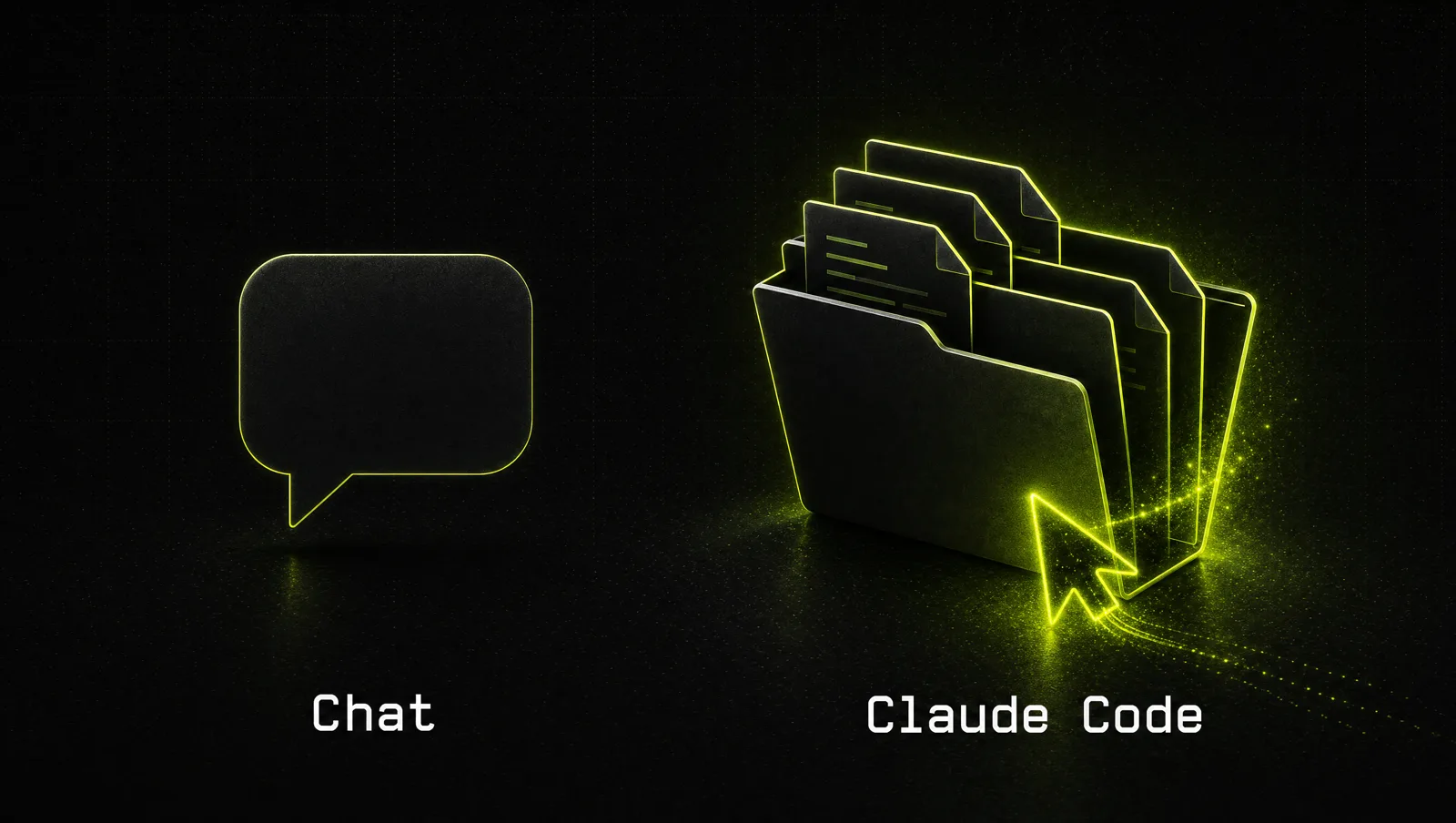
Claude Code is an agentic tool from Anthropic that works directly on your computer: it reads the files in a folder, edits them, runs commands and connects to other tools. Anthropic describes it as a tool that "reads your codebase, edits files, runs commands" and makes it available in the terminal, in code editors, in the Claude desktop app and in the browser. The difference to the normal Claude chat: it doesn't just tell you what to do, it does the work inside your files and shows you each step.
For a developer, "codebase" means software. For a founder, it can just as well be a folder of CSV exports, proposals, meeting notes or a list of leads. The tool doesn't care whether the files are code.
The core: chat versus Claude Code
Compare it with the chat you already use.
| Claude chat | Claude Code | |
|---|---|---|
| Where the work happens | In the conversation | In a folder on your computer (or a cloud session) |
| How files get in | You upload or paste them | It reads the folder you start it in |
| Output | Text you copy somewhere | Finished files saved back to the folder |
| Actions | Answers and artifacts | Edits files, runs commands, calls connected tools |
| Memory between sessions | Projects and chat history | A CLAUDE.md instruction file plus auto memory |
| Best for | Thinking, writing, one-off questions | Repeatable jobs on many files, scripts, small tools |
"Open 40 files, pull something out of each, save a clean result" is Claude Code work. "Help me think this through" stays in chat. See also Claude as your operations system.
How to use Claude Code in 5 steps
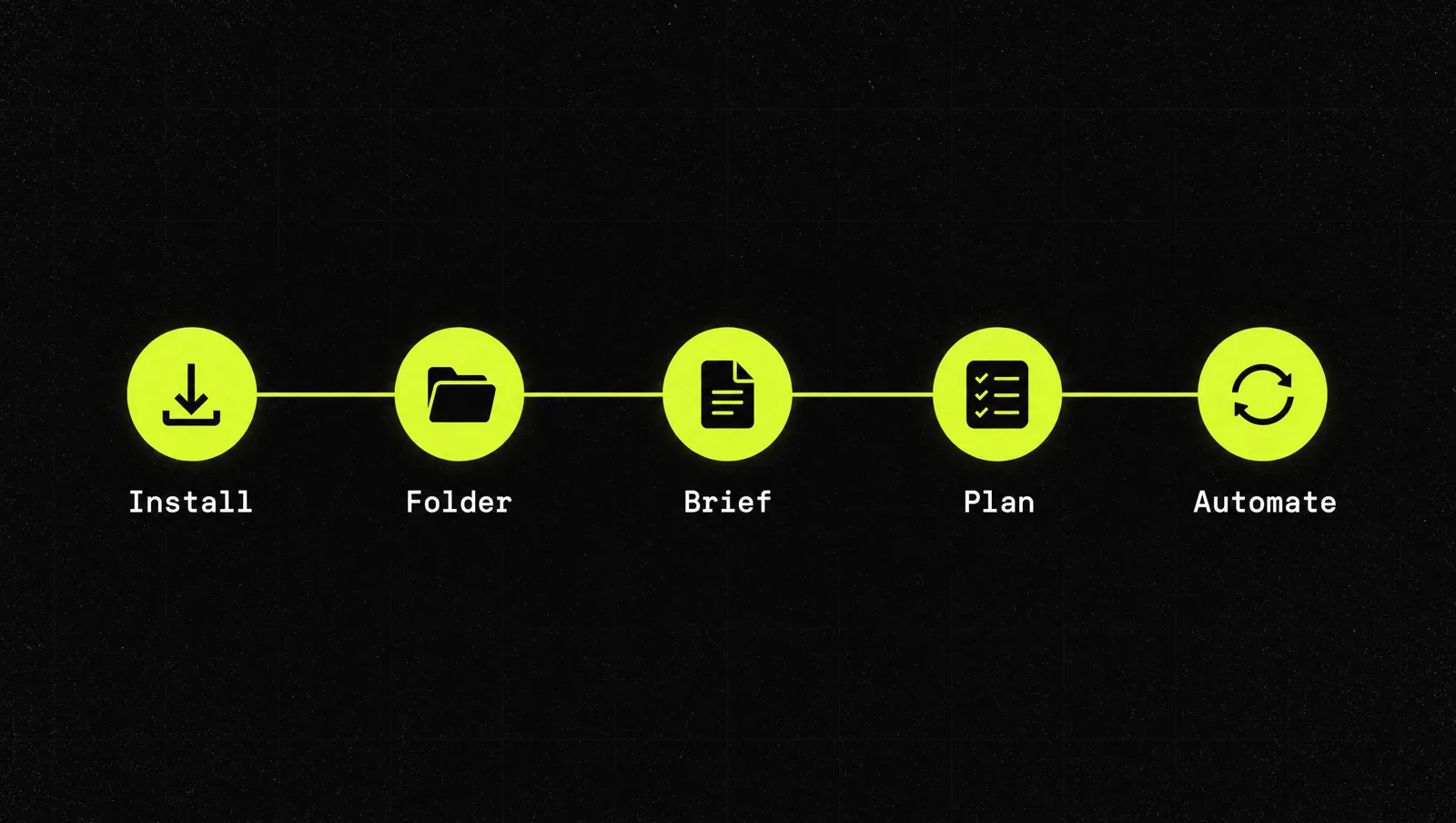
Step 1: Install it and log in
As of September 2026, the setup docs list macOS 13+, Windows 10 (1809)+ or common Linux versions, 4 GB of RAM and an internet connection, plus a Pro, Max, Team, Enterprise or Console account.
No terminal wanted? Install the Claude desktop app, sign in and open the Code tab: the app includes Claude Code (overview). For the terminal version, the docs give one command per system:
- Mac or Linux:
curl -fsSL https://claude.ai/install.sh | bash - Windows PowerShell:
irm https://claude.ai/install.ps1 | iex
Open a new terminal window, run claude --version to check it worked, then type claude and follow the browser login.
Step 2: Give it one folder and one job
Claude Code works inside the folder where you start it. In Manual mode it can only write to that folder and its subfolders (security docs). Use that as a feature: create a folder like weekly-report, put in the exports it needs and start Claude Code there. Not your home directory, not the whole company drive. Good first jobs: merge five CSV exports into one summary, sort 200 invoices, turn call notes into a clean CRM import file.
Step 3: Write the instructions once, in CLAUDE.md
CLAUDE.md is a plain text file in your folder that Claude Code reads at the start of every session (overview). Write it like a briefing for a new assistant: what the folder is for, which files matter, what the output must look like, and what it must never do (for example "never delete source files", "all numbers in EUR"). Claude Code also saves its own learnings as it works, which the docs call auto memory.
Skip this and your results feel random. Once the job works, package it as a reusable skill (how to add skills in Claude).
Step 4: Ask for a plan before any change
Claude Code has permission modes. In Manual mode it reads freely but asks before it edits a file or runs most commands. Plan mode goes further: Claude can explore but may not edit until you approve its plan. You switch modes with Shift+Tab in the terminal or with the mode selector in the desktop app (permission modes). Note that depending on your version and plan, a session can start in auto mode, where a classifier approves actions instead of you, so check the mode indicator before you start.
The habit: ask for the plan, read it, correct it, then let it run. You catch a wrong assumption before it touches 200 files.
Step 5: Turn the job into a repeatable automation
Once a job runs cleanly twice, make it repeatable. The docs list three routes (overview): skills that package a workflow as a slash command, scheduled tasks in the desktop app that run on your machine, and routines that run in the cloud even when your computer is off. With MCP, Claude Code can also read and write in other tools, such as documents in Google Drive or tickets in Jira.
This is also where small internal tools come in: a script that pulls your ad numbers every Monday, a calculator for your sales team. Describe it in plain language and let Claude Code build and test it. For more independent, multi-step work, see how to create agents in Claude.
Where Claude Code is the wrong tool
- Pure thinking and writing work. Strategy, emails, a sales page draft: the chat is faster and simpler.
- You don't want to review anything. The security docs make you responsible for reviewing changes and commands before approving them.
- Untrusted content. Files and web pages can carry hidden instructions (prompt injection). Anthropic lists safeguards but says no system is completely immune.
- Document work without any building. Anthropic also offers Claude Cowork, which uses the same agentic setup with no terminal, for work like research, documents and spreadsheets. If you never need scripts or tools, start there.
A real case: Anthropic's one-person growth marketing team
The best proof that this works for non-developers comes from Anthropic itself. In July 2025 the company published how its own teams use Claude Code, with a longer PDF report covering each team.
The Growth Marketing section describes a non-technical team of one, responsible for paid search, paid social, app stores, email and SEO. According to the report:
- They built a workflow that reads CSV files with hundreds of existing ads and their performance, finds the underperformers and writes new variations within strict limits of 30 characters for headlines and 90 for descriptions. Two sub-agents split the work: one for headlines, one for descriptions.
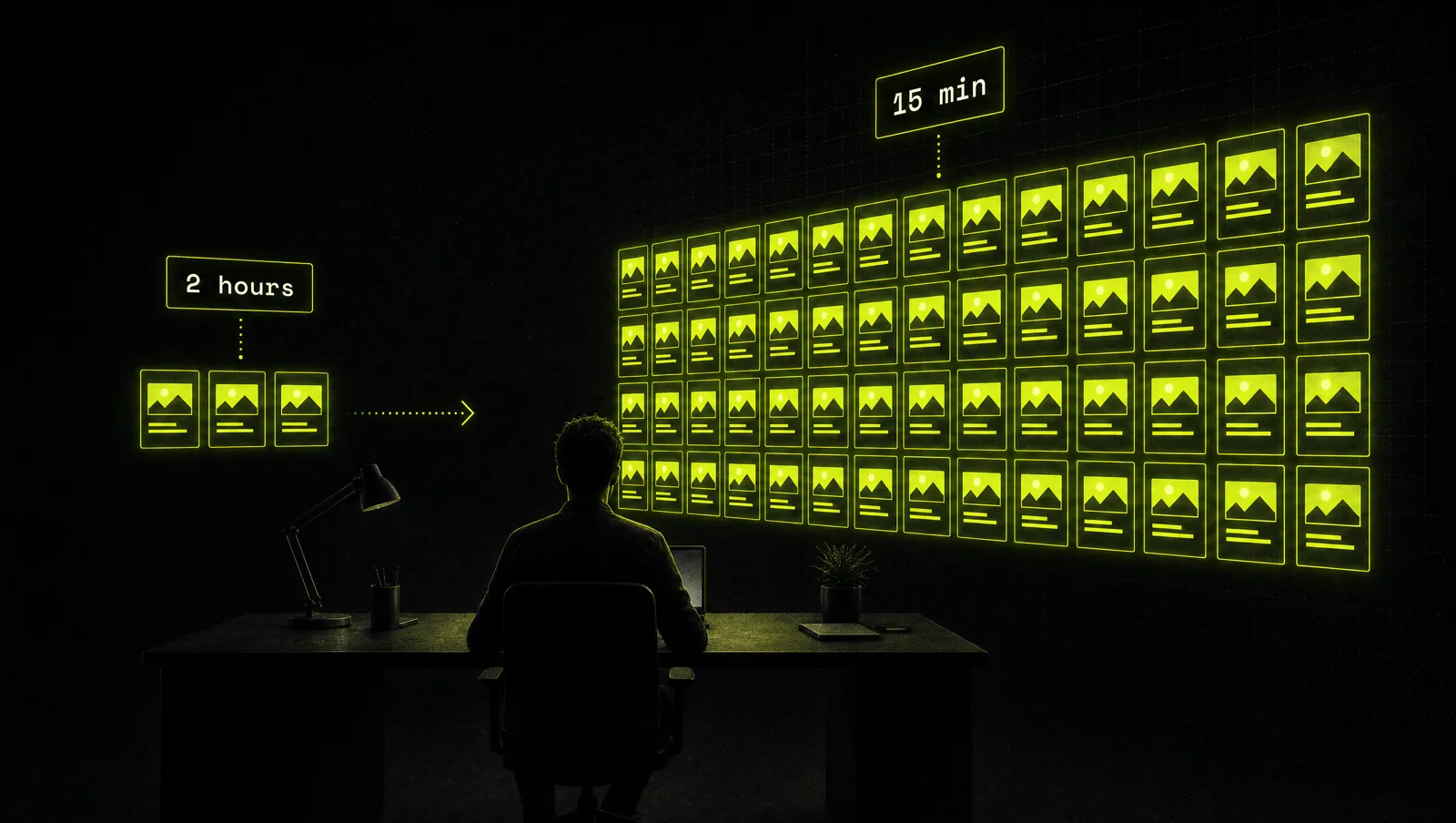
- They built a Figma plugin that generates up to 100 ad variations by swapping headlines and descriptions, taking half a second per batch instead of hours of copy-pasting.
- They connected the Meta Ads API through an MCP server, so campaign performance and spend could be queried inside the Claude desktop app.
- They added a simple memory log of hypotheses and past test results that the system pulls in when writing new variations.
- The reported impact: ad copy creation went from 2 hours to 15 minutes, and creative output went up 10x.
The same report describes finance staff with no coding experience writing plain text files that describe a data workflow, which Claude Code then ran end to end.
Look at it through the system:
- One folder, one job: the first build was one specific workflow (ad copy from a CSV), not "automate marketing".
- Instructions in plain text: the finance example is literally Step 3, a text file describing the steps.
- Plan first: the team's own tip is to plan the workflow in Claude.ai first and then work step by step instead of asking for one-shot solutions.
- Automate what repeats: the Figma plugin and the Meta Ads connection turned repeated manual work into tools.
The lesson: the growth marketer didn't become a developer. They became someone who can describe a repetitive job precisely, and Claude Code handled the building.
Three use cases
The examples below are illustrative, not real clients. They show what a first Claude Code job can look like in different businesses.
Use case 1: Agency founder
Before: every Monday, two hours pasting ad reports from three platforms into one spreadsheet and writing a client summary.
After: a client-reports folder with a CLAUDE.md defining the format. Claude Code merges the exports, flags big week over week moves and drafts the summary. The founder reviews and sends.
Use case 2: Operator in a service business
Before: 300 inbound requests a month in a messy CSV, sorted by hand into sales, support and spam.
After: Claude Code builds a small script that sorts each row into a clean file per category and flags unclear ones for a human. Then it runs as a scheduled task.
Use case 3: Solo creator
Before: research for each video means 20 browser tabs and scattered notes.
After: one research folder per topic. Claude Code saves a summary file with source links and an outline. The creator keeps the judgment calls.
How we run this with Claude
Inside CopyPasteCEO we start every Claude Code job with the same two prompts, in one session so Claude keeps the context. Copy them and fill in the brackets.
Prompt 1: write the CLAUDE.md for your folder
Make it yours · 0/2 filled
I'm a non-developer using Claude Code in this folder. The job: [REPETITIVE TASK, e.g. merge weekly ad exports into one client report]. The input files are: [FILE TYPES AND NAMES]. The output must look like: [FORMAT, COLUMNS, TONE]. Rules: [e.g. never delete or overwrite source files, all numbers in EUR]. Read the files in this folder, then write a CLAUDE.md that briefs you on this job. Don't do the job yet. Show me the CLAUDE.md and list any questions you have.Prompt 2: plan the job before touching anything
Make it yours · 0/2 filled
Using CLAUDE.md, plan how you would do [THE JOB] for [THIS WEEK'S FILES]. List every step, every file you would create or change, and every command you would run, in plain language. Mark anything risky or anything you are guessing. Wait for my approval before changing any file. After the run, tell me what you did and how I can check the result in under two minutes.These two prompts cover Steps 3 and 4. Picking the right first job, deciding when to turn it into a skill or a scheduled task, and knowing when to stop automating are where most people get stuck, because that is judgment, not syntax.
Where most people get stuck
Installing Claude Code takes minutes. Making it reliably do a real business job takes a few rounds, and most non-developers quit after the first. The usual reasons:
- They start too big. "Organize my business" produces chaos. One folder and one job produce a result.
- They skip the instructions. Without a CLAUDE.md, every session starts from zero and the output drifts.
- They approve without reading. They click yes on every change, something breaks, and they decide the tool is dangerous instead of fixing the habit.
That is exactly the gap the Inner Circle is built for: the playbooks to run Claude Code on real business work, a new playbook every week, and founders building their own automations next to you.