How to Create Claude Agents: Projects, Claude Code Subagents and the Agent SDK (Step by Step)
Everyone talks about AI agents like they need a research lab and a team of engineers. Most founders don't need either. What they need is to stop starting every chat with Claude from zero, and to hand whole jobs to a specialist that already knows the business.
This guide shows you how to create Claude agents for your business. It sorts out what an agent actually is, walks through the three documented ways to build one (Projects, Claude Code subagents and the Claude Agent SDK), gives you a five step build sequence, shows how a small company built a business on Claude agents, and ends with the prompts we use. Everything about Claude's features below is based on Anthropic's own documentation as of September 2026.
The short version:
- Anthropic defines an agent as a system where the model directs its own process and tool use, while a workflow follows code paths you defined in advance.
- For most founders, the first Claude agent is a Project: standing instructions plus uploaded knowledge that every chat inside it uses.
- Claude Code subagents are Markdown files with a name, a description, a tool list and a system prompt, and each one works in its own context window.
- The Claude Agent SDK gives you the same agent loop, tools and context management that power Claude Code, as a library for Python and TypeScript.
- Start simple: Anthropic's own advice is to add agent complexity only when a simpler setup demonstrably falls short.
What are Claude agents?
Claude agents are setups where Claude works through a task on its own: it plans the steps, uses tools like file access, search or connected apps, and decides when the job is done. In its engineering post Building effective agents (December 2024), Anthropic separates two things: workflows, where Claude and tools follow paths you wrote in advance, and agents, where Claude directs its own process and tool usage. Both count as "agentic systems", and both are useful.
For a founder, the practical meaning is simpler. A chat is a stranger you brief every time. An agent is a specialist with a role, a scope, a standard and the context it needs, who you hand a job to and get a result back from.
The same post makes a point most "AI agents for business" pitches skip: agents trade extra cost and latency for better results on open ended tasks, so start with the simplest solution that works.
The core: three ways to build Claude agents
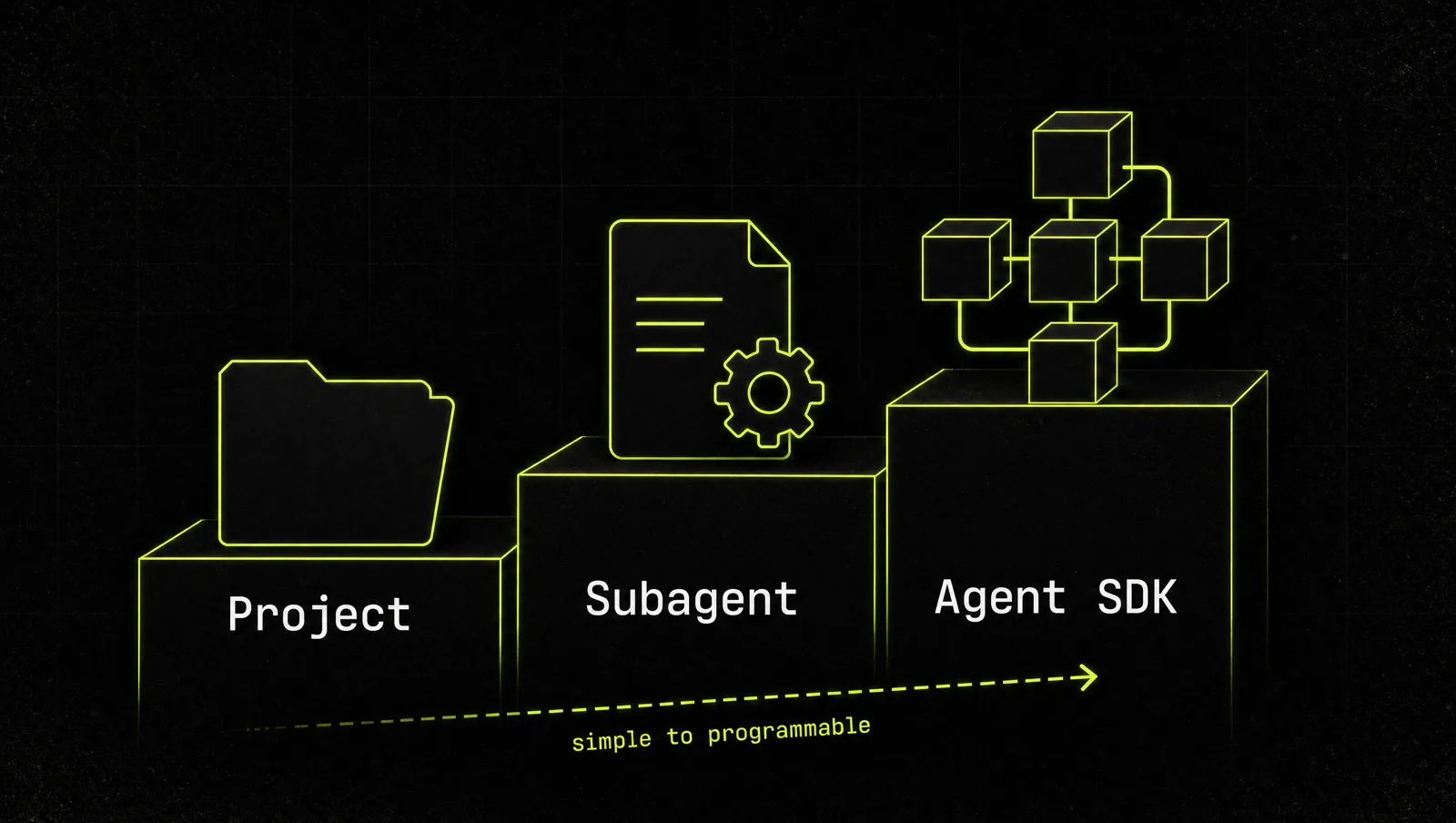
There are three documented ways to build agents with Claude, from no code to full code:
| Claude Project | Claude Code subagent | Claude Agent SDK | |
|---|---|---|---|
| What it is | A workspace with instructions and a knowledge base that every chat in it uses | A Markdown file with YAML frontmatter defining a specialist | A library for Python and TypeScript that embeds Claude Code's agent in your own app |
| Code needed | None | None to write, but you work in Claude Code | Yes |
| Tools it can use | What your Claude plan and connected apps allow | A tool list you set per agent, plus MCP servers | Built-in tools, hooks, subagents, MCP, permissions, sessions |
| Best for | A marketer, strategist or analyst you chat with | Research, reviews, content and ops work that should stay out of your main chat | Agents that run inside your product or on your servers |
| Who runs it | You, in Claude | Claude Code delegates to it, or you call it by name | Your code, in a process you operate |
Projects are available on all plans, including free accounts, which can create up to five (Claude Help Center). Subagents live in .claude/agents/ for one project or ~/.claude/agents/ for all your projects, and Claude decides when to delegate to one based on its description (Claude Code docs). And the Agent SDK used to be called the Claude Code SDK. Anthropic renamed it in September 2025 because the harness behind Claude Code can power many other kinds of agents too (Claude blog).
Start in the left column. Move right only when the job demands it.
How to create Claude agents in 5 steps
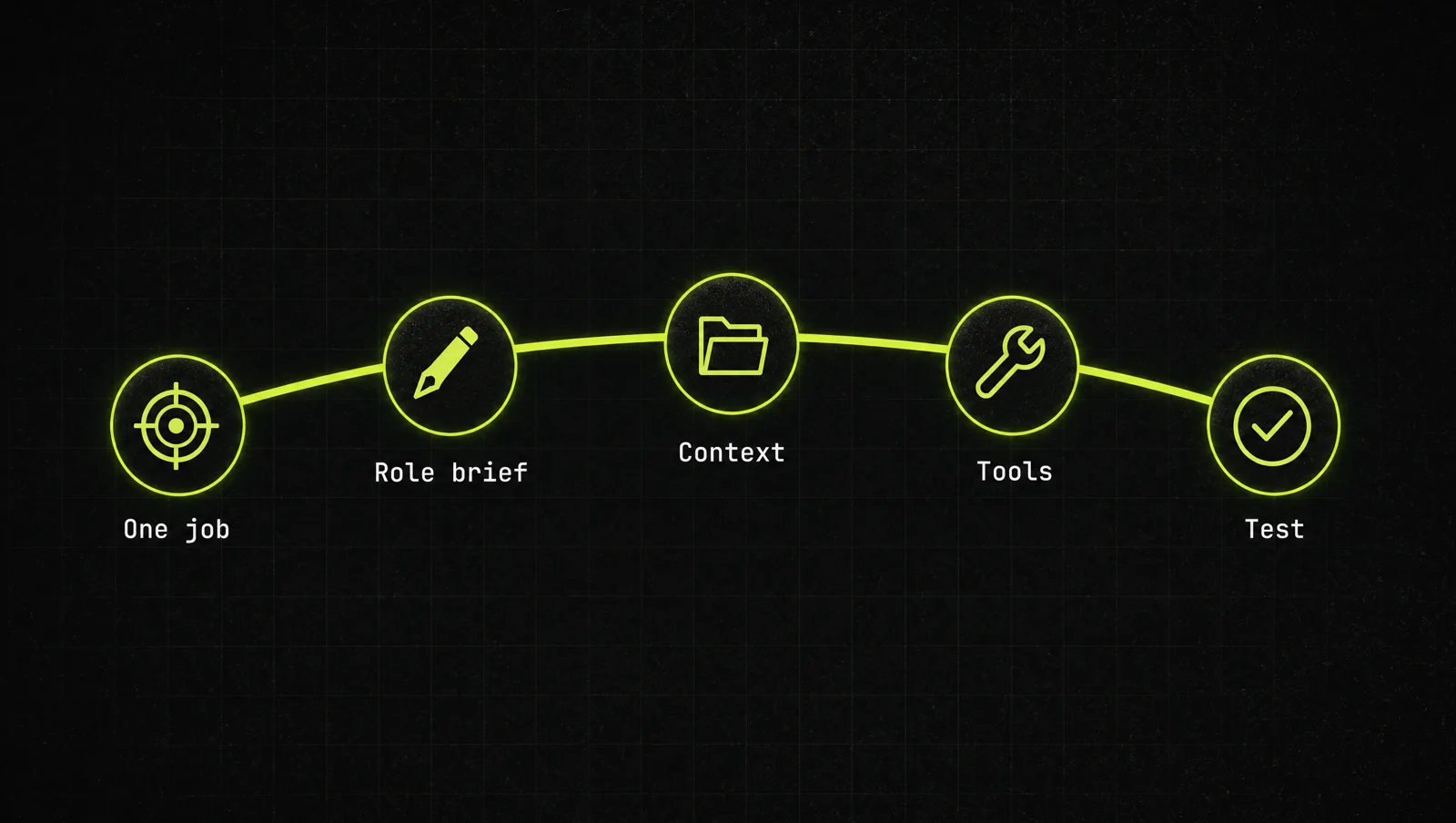
Step 1: Pick one job, not one "assistant"
Write down one recurring job that eats your week: weekly planning, content drafts, follow up emails, reading your numbers. One agent, one job. Then check whether a single good prompt already solves it. If it does, you don't need an agent yet.
Step 2: Write the role brief
Every agent, in every one of the three forms, runs on the same thing: a standing instruction. Keep it to four parts:
- Role: who the agent is ("You are my growth marketer").
- Scope: what it owns and what it never touches.
- Standards: what good output looks like, with an example of your best work.
- Finish line: how every answer ends. We use "end with the single next action I should take". Agents that end with a clear action get used every day, agents that end with a summary get abandoned.
In a Project, this goes into the project instructions. In a Claude Code subagent, it becomes the system prompt below the frontmatter.
Step 3: Give it the context it needs
An agent is only as good as what it knows about your business. In a Project, upload your offer, pricing, customer notes and best performing content to the knowledge base. On paid plans, project knowledge automatically switches to retrieval when it gets large (Claude Help Center). In Claude Code, subagents also load your CLAUDE.md files and can preload skills, which is where adding skills in Claude comes in.
Step 4: Set its tools and limits
This is where Claude Code agents become more than a good prompt. A subagent file has two required fields, name and description, and optional ones like tools (an allowlist), model and permission settings. A research agent can be read only, a reporting agent can run on a cheaper model. The docs recommend a short description that says exactly when Claude should delegate to it (Claude Code docs). Anthropic's agent post adds a rule worth copying: put as much care into the tools you give an agent as you would into a screen you design for a human.
Step 5: Test it, then make agents check each other
Run the agent on five real tasks from last month. Fix the brief, not the output. Then add review: Anthropic calls one pattern the "evaluator optimizer", where one model produces and another gives feedback in a loop (Building effective agents). In practice: your marketer drafts, your strategist grades the draft against the goal. Update the brief whenever your offer or numbers change, because stale context produces confidently wrong answers.
The four agents we start founders with
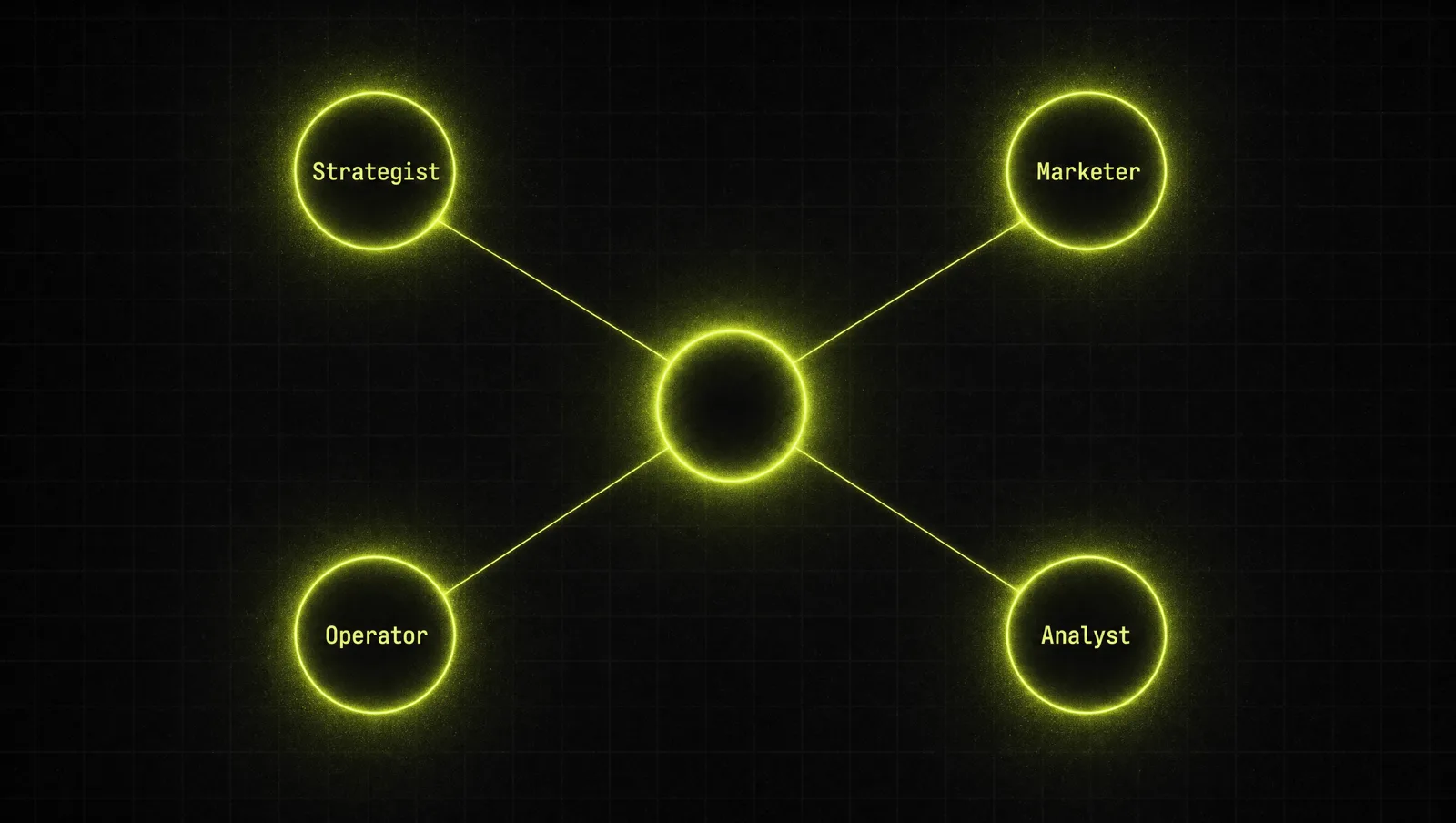
This is the setup from our free Founder OS, and it works as four Projects on day one:
- The Strategist. Plans the week and kills distractions.
- The Marketer. Owns content and campaigns in your voice.
- The Operator. Emails, SOPs, checklists and follow ups.
- The Analyst. Reads your numbers and flags what's leaking.
Still choosing a tool? See Claude vs ChatGPT for business.
A real case: how Lindy built a business on Claude agents
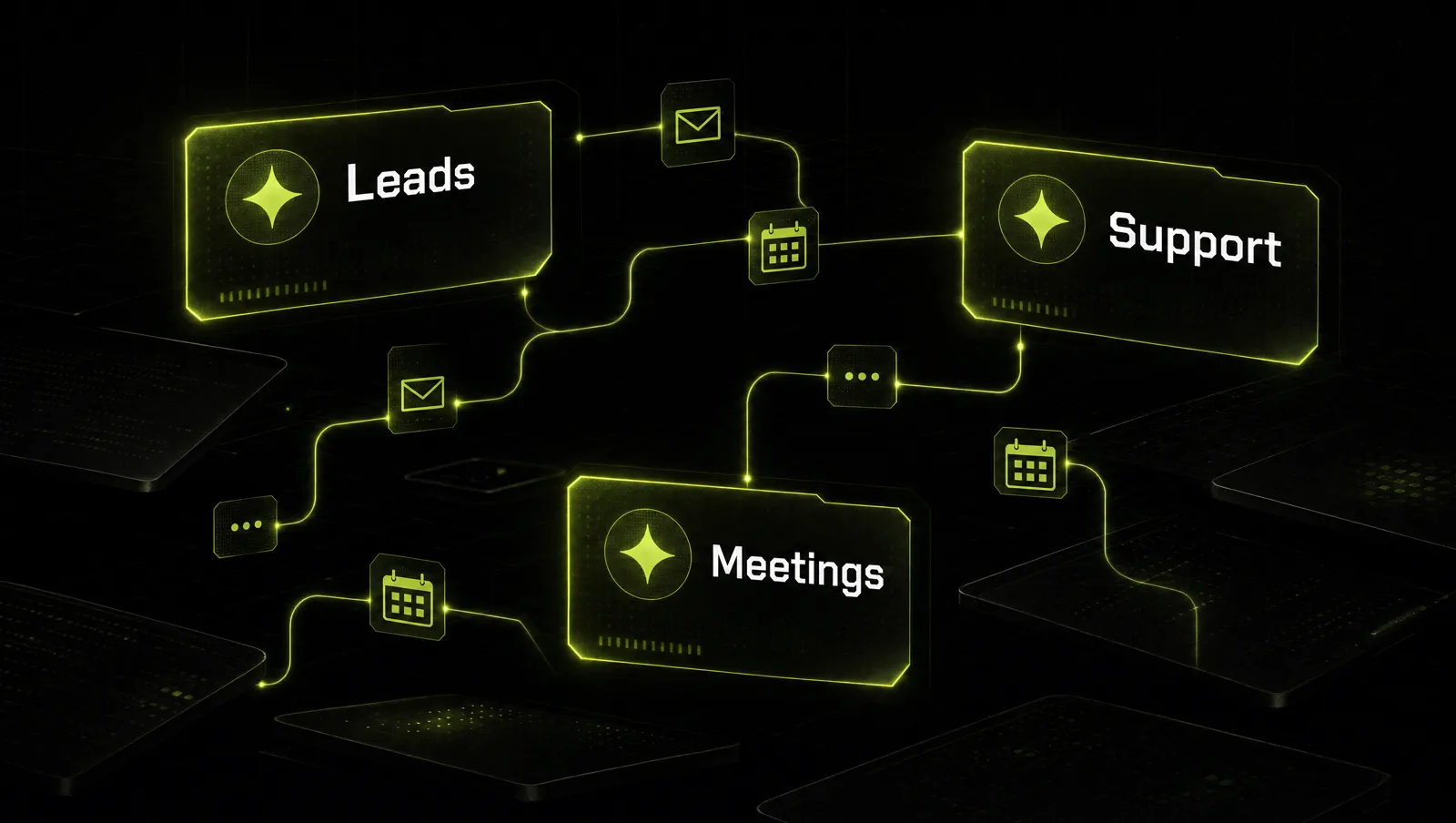
Lindy is a small North American software company that lets businesses create AI agents to automate repetitive work. Anthropic published its story as a Claude customer case study. The facts from that page:
- Lindy uses Claude as the default model on its platform. Customers can pick other models, but according to the case study they rarely do, and the vast majority of model calls on the platform go to Claude.
- The agents cover three business jobs: go to market workflows, customer support and executive assistance.
- Lindy reports 10x customer growth since it made Claude Sonnet 3.5 its default model.
- Sales teams using its agents cut time to qualified lead by 72% and book more than 40 prospect meetings per month.
- Its support agents handle more than 70% of routine tickets, and customers report 3 to 5x productivity gains in their workflows.
- Lindy added an Agent Builder that creates agents from simple prompts.
Look at it through the system:
- One job per agent: lead qualification, support tickets and scheduling are separate agents, not one assistant that does everything.
- Measured against a real number: time to qualified lead, meetings booked, tickets handled. Every agent has a finish line.
- Humans stay in the loop: the company frames its agents as making existing teams more effective, not replacing them.
- Brief first, code later: Lindy's own customers build agents from a plain language description, the same idea as the role brief in step 2.
The lesson: the value of an agent is not the technology. It is picking one repetitive job, defining what done looks like, and measuring it.
Three more use cases
The examples below are illustrative, not real clients. They show how the same system looks in different businesses.
Use case 1: Marketing agency
Before: the founder writes every client report and first draft by hand.
After: one Project per job. A "Reporting Agent" with a report template and last month's best report turns raw numbers into client ready summaries. A "Content Agent" per client holds that client's voice. The founder reviews instead of writes.
Use case 2: Coach or creator
Before: hours a week answering the same member questions and repurposing one long video by hand.
After: in Claude Code, a read only "Research" subagent pulls answers from course transcripts, and a "Repurpose" subagent turns each transcript into posts and an email. The main chat stays clean because each subagent returns only its result.
Use case 3: SaaS or digital product
Before: support tickets and onboarding questions land in the founder's inbox.
After: a support agent built on the Claude Agent SDK runs inside the product, connected to the help docs through MCP, with permissions that require approval for anything that changes an account. Everything else goes to a human.
How we run this system with Claude
Inside CopyPasteCEO we don't write agent briefs from scratch. We let Claude draft them and then tighten them. Here are the first two prompts, copy paste ready. Fill in the brackets.
Prompt 1: find the right first agent and write its brief
Make it yours · 0/4 filled
You are an operations advisor who helps founders set up Claude agents. My business: [WHAT YOU SELL], to [WHO], at [PRICE]. Here are the recurring tasks that take most of my week: [LIST OF TASKS WITH HOURS PER WEEK]. Pick the ONE task that should become my first agent and explain why in two sentences. Then write the agent's role brief with four parts: role, scope (what it owns and never touches), standards (what good output looks like), and a finish line that ends every answer with the single next action I should take. Finally, tell me whether this can be a Claude Project or needs a Claude Code subagent.Prompt 2: turn the brief into a Claude Code subagent
Make it yours · 0/3 filled
Turn this role brief into a Claude Code subagent file for .claude/agents/. Brief: [PASTE ROLE BRIEF]. Use YAML frontmatter with a name in lowercase with hyphens, a description under 150 characters that states exactly when to delegate to this agent, and a tools list limited to [TOOLS IT MAY USE]. Write the system prompt below the frontmatter. Then give me 5 test tasks from a typical week of [YOUR BUSINESS] that I can run to check the agent, and what a good result looks like for each.These two prompts get your first agent live and tested. Deciding which jobs deserve an agent, connecting them to your real tools, and getting several agents to check each other's work is where most people get stuck, because that is where judgment matters more than templates.
Where most people get stuck
Creating a Claude agent takes an afternoon. Getting agents to do real work every week takes more:
- They build one agent for everything. A blurry brief produces blurry output, and they decide agents "don't work".
- They jump to code too early. They start with the Agent SDK before a simple Project has proven the job is worth automating.
- They never update the context. The offer, prices and numbers change, the brief doesn't, and the agent keeps giving yesterday's answers.
That is exactly the gap the Inner Circle is built for: the playbooks to set up and run your agents, a new playbook every week, and founders who are building their own agent teams next to you.