Claude Cowork: How Founders Hand Claude Real Work (Setup in 5 Steps)

Most founders use AI like a very smart search box. You ask, it answers, you copy the answer into a doc, then you do the actual work yourself: pull the numbers, clean the spreadsheet, build the deck, send the update. The chat saved you ten minutes. The task still took two hours.
Claude Cowork is Anthropic's answer to that gap. This guide shows you how to use Claude Cowork for business work: what it is, who it is for, how to set it up in five steps, what it cannot do safely, and how a marketing team at Miro used it to cut a weekly admin job from over 90 minutes to about 10. Everything here comes from official Anthropic pages, as of September 2026. The product changes fast, so check the linked help pages before you rely on a detail.
The short version:
- Claude Cowork lets Claude take on multi-step tasks and finish them for you, using the files, apps and tools you give it access to.
- It uses the same agentic architecture as Claude Code, but it is built for knowledge work like research, reports, spreadsheets and decks, with no terminal required.
- It runs on the Claude desktop app, on the web and on mobile, and it needs a paid plan (Pro, Max, Team or Enterprise).
- Scheduled tasks let you describe a recurring job once, and Claude delivers it on a cadence, even when your computer is asleep.
- You stay responsible for everything Claude does, so start with a dedicated folder and manual approval.
What is Claude Cowork?
Claude Cowork is Claude working on tasks alongside you. Instead of answering one prompt at a time, it takes on complex, multi-step tasks and executes them on your behalf, then hands back a real deliverable such as a document, a spreadsheet or a presentation (Claude Help Center). Anthropic describes it as using the same agentic architecture that powers Claude Code, without the terminal (claude.com).
Cowork launched as a research preview on January 12, 2026 (Anthropic). On September 16, 2026, Anthropic announced that Cowork and chat are merging into one Claude, rolling out first to Pro and Max, with Team and Free plans to follow (Claude blog). If you already have the new experience, you will not see a "Cowork" selector anymore: Claude decides whether a request needs a quick chat answer or a Cowork task (Claude Help Center).
Who it is for: founders and teams who do repeatable knowledge work. Anthropic's own examples are weekly marketing reports, spreadsheet reconciliation with variance flags, contract review against a playbook and sales pipeline analysis from call notes (claude.com). If your week has a task you do the same way every Friday, Cowork is built for it.
The core: the five building blocks of Cowork
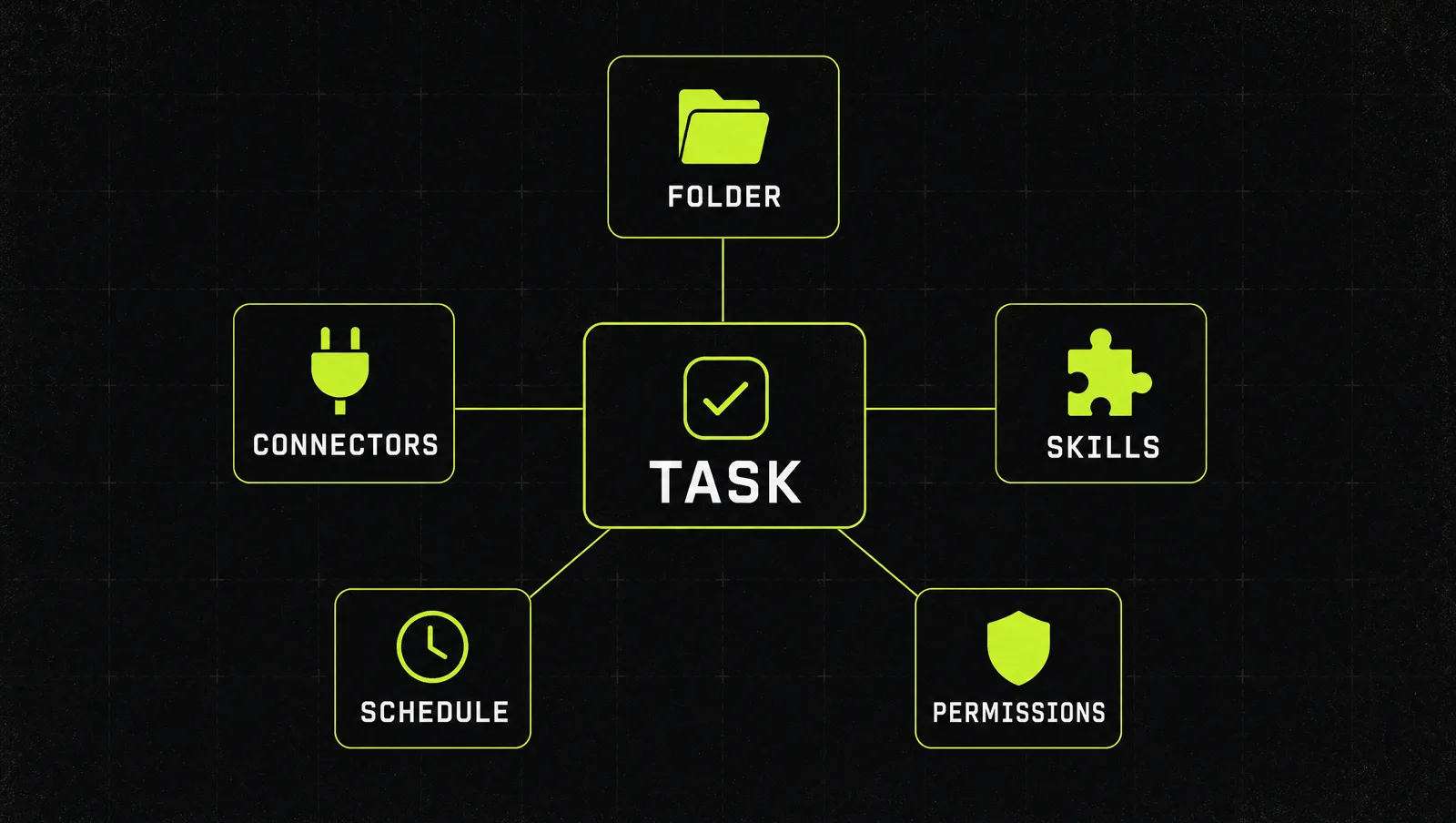
Cowork is not one feature. It is a small set of building blocks, and the quality of the output depends on how well you set each one up.
| Building block | What it does | What it means for a founder |
|---|---|---|
| Folder or project | Claude reads and writes files in a folder you pick, or works inside a Project that keeps files, instructions and memory across sessions | Claude only sees what you give it, so the folder is your scope |
| Connectors | Link apps such as Gmail, Slack, Google Drive, Microsoft 365 or your calendar | Claude can pull context from where your work already lives |
| Plugins and skills | A plugin packages the skills, connectors and example prompts for a role | Your best practices get reused instead of retyped |
| Scheduled tasks | A task you describe once runs automatically on a cadence, or on demand | Recurring reports arrive without you starting them |
| Permission mode | Manual, auto or skip decides when Claude asks before write or delete actions | This is your safety dial |
Sources: Claude Academy, Claude Help Center, scheduled tasks.
Bad results usually come from a vague task in a messy folder. Good ones come from a narrow folder, one or two connectors and a written skill. New to skills? Start with how to add skills in Claude.
How to set up and use Claude Cowork in 5 steps
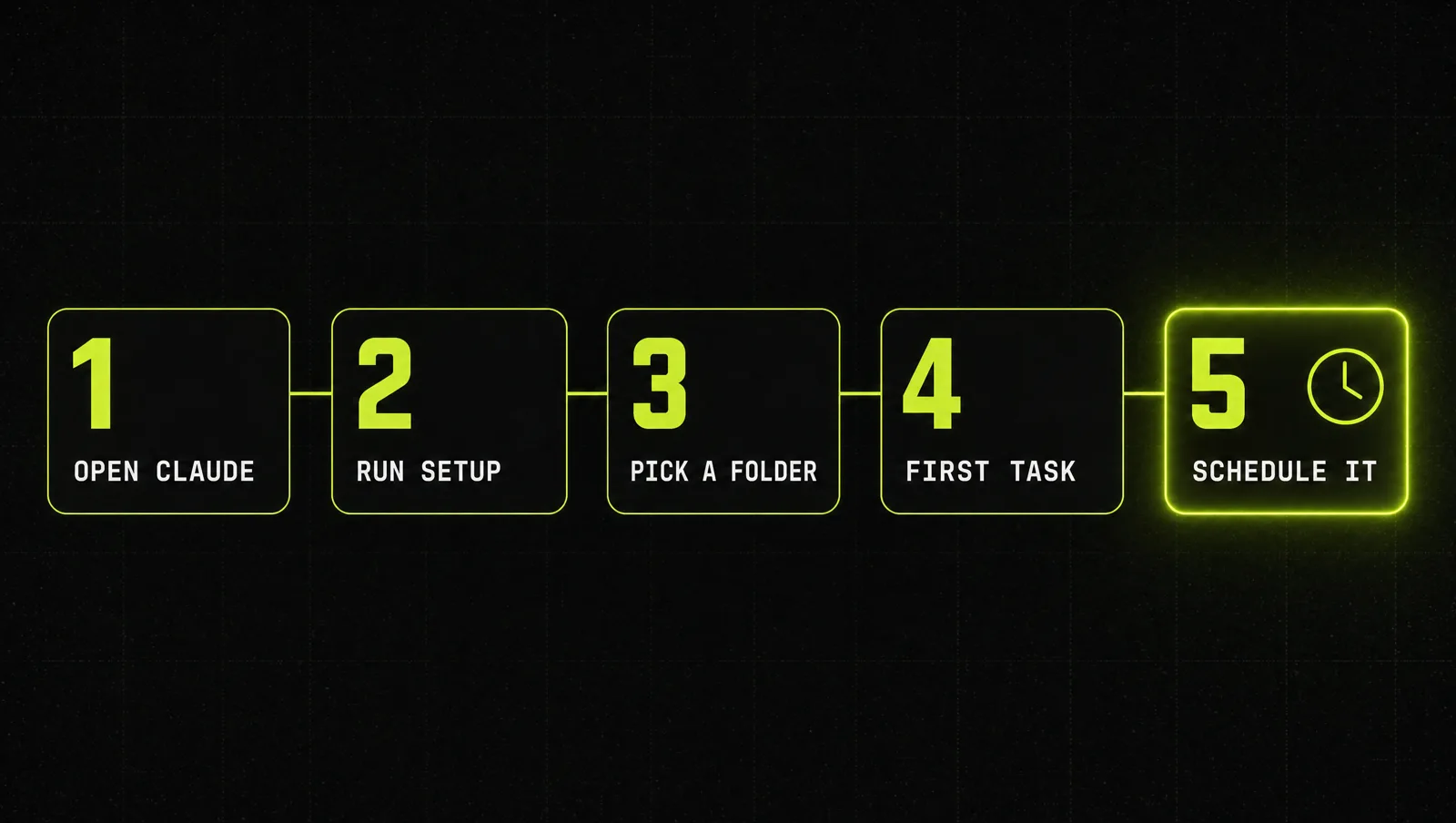
Step 1: Open Claude where your work lives
Sign in to the Claude desktop app or claude.ai. Anthropic's tip is to use the desktop app when the work involves files on your computer (Claude Academy). Local file access, browser use and computer use need the desktop app open on your machine, even when the session itself runs in the cloud (Claude Help Center). If you still see the selector, choose "Cowork" in the message box. If you have the new Claude experience, just describe the task.
Step 2: Run the setup and install a plugin for your role
Type /setup-claude in a new conversation. Claude walks you through picking your role, installing a plugin that matches it and connecting tools like Slack, Google Workspace or Microsoft 365 (Claude Academy). Connect only the apps the first task needs. Every extra connector is extra context and extra risk.
Step 3: Give Claude a dedicated working folder
Select "Work in a folder" and pick either a folder on your computer or a Project from the sidebar. Create a new folder just for Cowork and copy in only the files the task needs. Anthropic's safety guidance recommends exactly this: dedicated working folders instead of broad access, and no financial records or credentials in reach (Claude Help Center).
Step 4: Run one real task with manual approval
Pick one task you did by hand last week and describe the outcome, not the steps. Set the permission mode to manual, so Claude asks before it writes or deletes anything. Watch the progress view, which shows each step Claude takes. Note that auto mode consumes more of your usage limit than the other modes, because of the extra safety checks (Claude Help Center).
Step 5: Turn what worked into a scheduled task
Once a task produces output you would actually use, schedule it. Describe the task and how often it should run in any conversation, review the name, schedule and instructions Claude proposes, then click "Schedule". Or open "Scheduled" in the left sidebar and click "New task". Scheduled tasks run remotely, so they keep their cadence when your computer is asleep or the desktop app is closed (Claude Help Center). Good first candidates: a daily briefing from Slack, email and calendar, or a weekly competitor scan.
Limits and safety rules (as of September 2026)
Cowork can take real actions, and Anthropic is clear that you remain responsible for everything Claude does on your behalf (Claude Help Center). The documented limits worth knowing:
- Prompt injection is the main risk. Malicious instructions hidden in a web page or document can steer Claude. The risk is highest when Claude reads untrusted content and can also take impactful actions.
- Computer use has fewer checks. When Claude clicks and types on your screen, it works without the permission checks that gate other Cowork tools, so be especially careful there.
- Keep sensitive work out. Anthropic advises blocking banking, healthcare and dating sites, and not scheduling tasks that handle sensitive data or consequential financial actions. Supervise any task that sends messages or makes purchases.
- Heavier tasks use more of your limit. Multi-step work consumes more than quick questions. Group related work into one task and check Settings, then Usage (Claude Help Center).
- Sessions cannot be shared. You can share individual artifacts, but not a whole session.
- Team admins decide. On Team and Enterprise, owners can switch Cowork off, control cloud sessions and auto mode, and stream events to security tools. Local session history lives on the user's computer and admins cannot centrally delete it (Claude Help Center).
A real case: how Miro's marketing team used Cowork
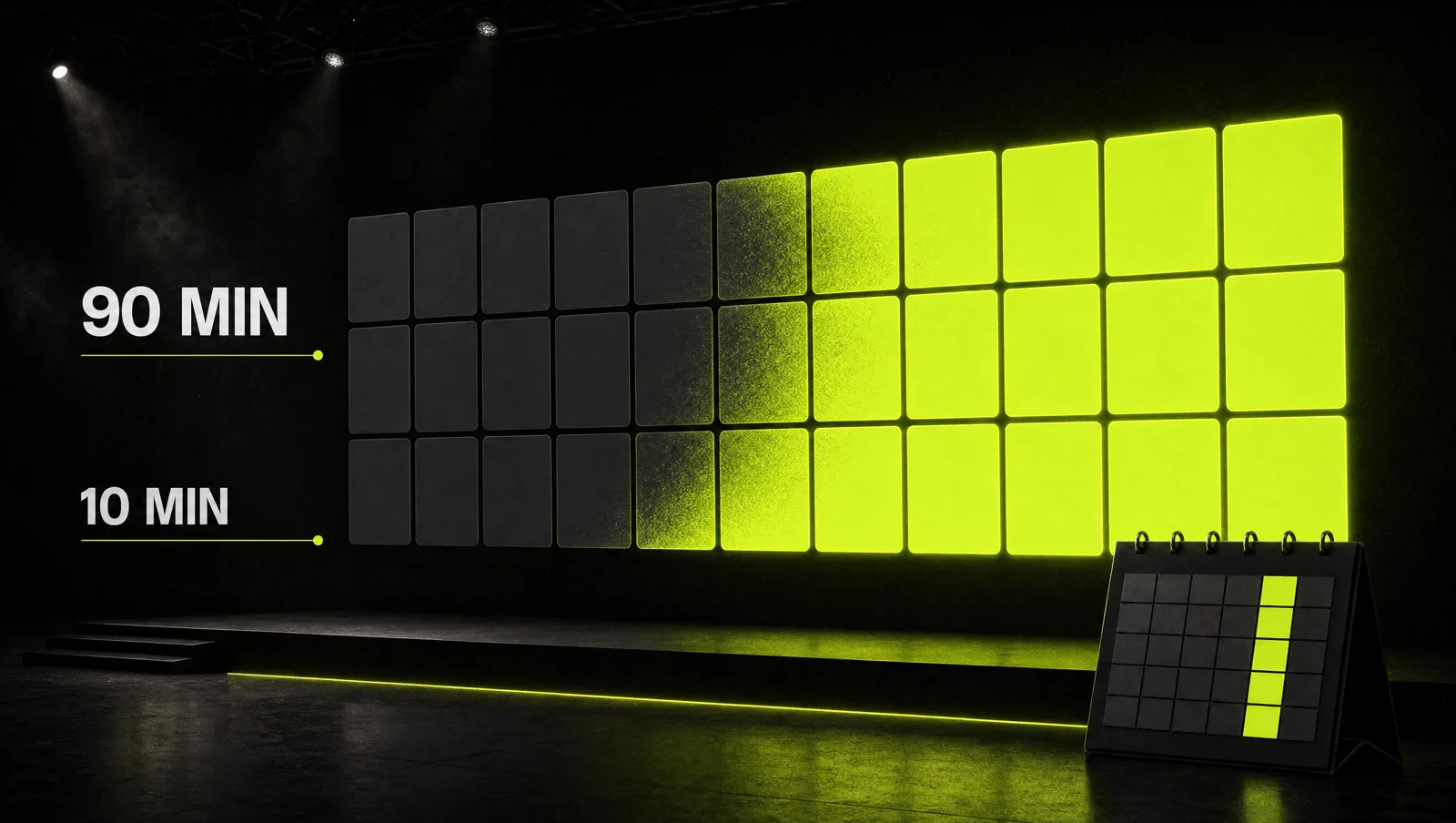
Anthropic published a customer story on how people at Miro use Cowork (Claude customer story). The interesting part for founders: the people in the story work in marketing and programs, not engineering, and they describe building the workflows themselves.
- Influencer content review. An influencer marketing manager built a Cowork reviewer that checks each influencer script or caption against the event brief as a first pass. According to the story, this cut review time in half.
- The result at events. At Miro's Canvas 2025 event, 64% of influencer content went live within 48 hours. Across three Canvas 2026 events, they averaged 99%, and the team credits Cowork with making review fast enough.
- A Friday admin job. A program lead spent over 90 minutes every Friday morning documenting project status. Now a scheduled task runs every Friday morning, pulls context from Slack DMs and other sources, and suggests updates to her tracking table. The job dropped to about 10 minutes.
Look at it through the system:
- Narrow scope: each workflow does one job, like a first-pass review or a status update, not "help with marketing".
- Written rules: the reviewer compares against the event brief, so the standard lives in a document, not in someone's head.
- Connectors where the context is: the status task reads Slack and calendar instead of asking a human to summarize them.
- A schedule: the Friday task runs without anyone starting it, which is where the time saving compounds.
The lesson: the win did not come from a smarter model alone. It came from turning a repeated task into a written, scheduled workflow that a human only reviews.
Three use cases
The examples below are illustrative, not real clients. They show how the same five building blocks look in different small businesses.
Use case 1: Agency owner
Before: every Monday, two hours pulling ad numbers from exports into a client report.
After: a folder per client with last week's exports and a report template. A scheduled Monday task reads the new files, fills the template, flags any metric that moved more than a set threshold and saves a draft. The owner reviews and sends. Sending stays manual.
Use case 2: Coach or course creator
Before: student questions scattered across email and Slack, answered one by one at night.
After: a daily briefing task summarizes new questions from the last 24 hours, groups repeated ones and drafts answers from the course material in the project folder.
Use case 3: SaaS founder
Before: sales call notes pile up and nobody reads them twice.
After: a weekly task reads the call notes in one folder, lists objections by frequency and drafts one follow-up per open deal, which is close to Anthropic's own pipeline analysis example. The founder uses the objection list to sharpen the offer (see how to make a Grand Slam Offer).
How we run this with Claude
Inside CopyPasteCEO we start every Cowork workflow with two prompts. The first finds the right task, the second turns it into a brief Claude can schedule. Copy them and fill in the brackets.
Prompt 1: find your first Cowork task
Make it yours · 0/3 filled
I run [TYPE OF BUSINESS] with [TEAM SIZE]. Here is what my last week looked like, task by task, with rough hours: [LIST OF TASKS AND HOURS]. Pick the 3 tasks best suited for Claude Cowork: repeatable, based on files or apps I can connect, and safe to review before anything is sent. For each one, list the exact files, folders and connectors it needs, what the finished output should look like, and one risk I should control with manual approval.Prompt 2: write the scheduled task brief
Make it yours · 0/6 filled
Turn this into a Cowork task brief I can schedule: [TASK]. Input: the files in [FOLDER NAME] and data from [CONNECTORS]. Output: [DELIVERABLE, FORMAT, FILE NAME]. Rules: [RULES OR STANDARDS TO CHECK AGAINST]. Schedule: every [DAY AND TIME]. Write it as numbered steps, add a quality checklist Claude runs before saving, and list every action that must wait for my approval, like sending, deleting or paying.These two prompts get your first workflow running. To go further, see how we build agents in Claude and run Claude as your operations system.
Where most people get stuck
Starting a Cowork task takes a minute. Getting a workflow you trust every week takes a few rounds. The usual reasons founders stall:
- They hand over everything at once. A whole drive and every connector on day one means vague output and real risk. One folder, one task, one schedule works better.
- They never write the rules down. Without a brief or skill, Claude guesses your standard every time, and the output drifts.
- They stop after the first try. The first run is 80% right, nobody fixes the brief, and the task goes back to being manual.
That is exactly the gap the Inner Circle is built for: the playbooks to set up Claude workflows that run, a new playbook every week, and founders building their own systems next to you.