Claude Excel: How Founders Use Claude for Spreadsheets, Formulas and Models

Most founders don't have a data problem. They have a spreadsheet problem. The numbers are all there: the export from Stripe, the ad spend sheet, the cash flow model someone built two years ago. But every question ("what happens if we raise prices by 10%?") turns into an evening of broken formulas, #REF! errors and copy-paste.
This guide shows you how to use Claude with Excel in a way that actually saves time. It covers the two official ways Claude works with spreadsheets today, the Claude for Excel add-in and file creation in the Claude app, which one to use for which job, a five-step workflow, how Anthropic's own finance team runs it, and the two prompts we use. Everything about features is based on Anthropic's official documentation as of September 2026.
The short version:
- Claude for Excel is an official Anthropic add-in that runs inside Excel and is generally available on the Pro, Max, Team and Enterprise plans.
- Inside Excel, Claude can explain a model with cell-level citations, change assumptions without breaking formulas, debug errors and build or populate models.
- Without the add-in, the Claude app can analyze uploaded spreadsheets and create new .xlsx files with working formulas and charts, on every plan including Free.
- Claude is a fast analyst, not an auditor: Anthropic itself says not to ship final deliverables or audit-critical numbers without human review.
- The biggest win for founders is not writing formulas. It is understanding and stress-testing the model you already have.
What is Claude for Excel?
Claude for Excel is an add-in from Anthropic that puts Claude in a sidebar inside Microsoft Excel. According to Anthropic's documentation, you can ask questions about the open workbook, adjust assumptions while formula relationships stay intact, debug errors and build or populate models without leaving Excel. It is installed from Microsoft AppSource under the name "Claude for Microsoft 365" and works on Excel on the web, on Windows with a Microsoft 365 subscription and on Mac (from version 16.46).
When people search for "Claude Excel", they usually mean one of two things. The add-in is one. The other is simply uploading a spreadsheet to Claude, or asking Claude to create one. That second path is documented in the Help Center article on creating and editing files: Claude can create and edit Excel, Word, PowerPoint and PDF files, and it is available to all users (Free, Pro, Max, Team and Enterprise) on the web, desktop and mobile apps.
The core: add-in versus file creation
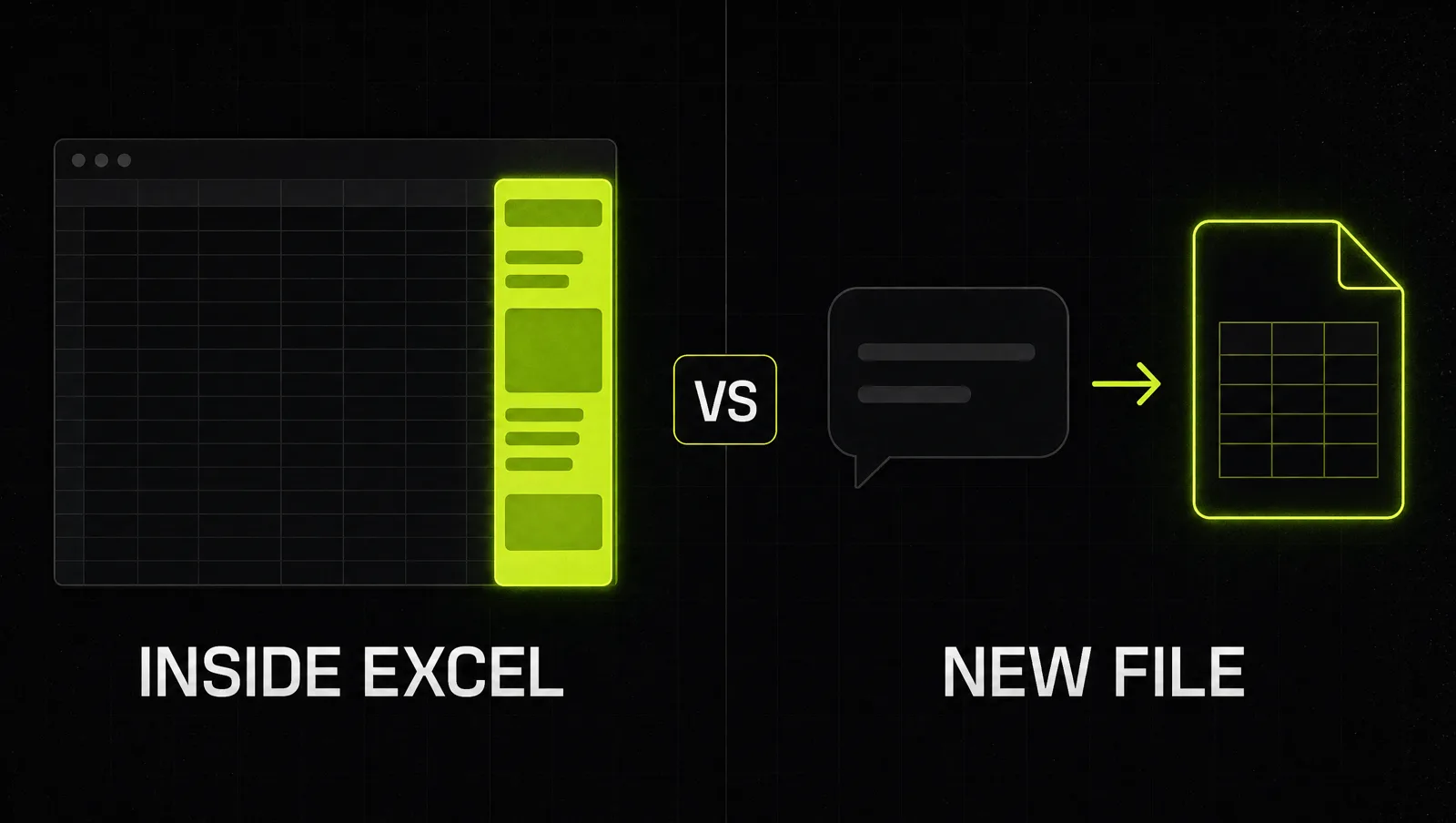
Both paths use the same Claude. The difference is where the work happens and what Claude can touch.
| Claude for Excel (add-in) | Claude app (file creation) | |
|---|---|---|
| Where it runs | Sidebar inside Excel, on your live workbook | Chat in the Claude app, on uploaded or new files |
| Plans | Pro, Max, Team, Enterprise | All plans, including Free |
| Best for | Understanding, editing and debugging existing models | Analyzing exports, cleaning data, building a new sheet from scratch |
| How it changes numbers | Edits cells while keeping formula dependencies, warns before overwriting data | Creates a new downloadable .xlsx with formulas and charts |
| Extras | Connectors, Skills, persistent Instructions, shared context with PowerPoint, Word and Outlook | Python based analysis and charts in a sandbox |
| Not supported | Data tables, macros and VBA | Files over 30MB per upload or download |
Sources: Claude for Excel docs, file creation help article.
The practical rule: if the model already exists and people depend on it, use the add-in. If you are starting from raw data or need a one-off analysis, the Claude app is faster and works on any plan.
The add-in also handles native Excel operations like sorting, filtering, editing pivot tables, conditional formatting and data validation dropdowns. You can set persistent Instructions in its settings, for example "format numbers with thousand separators", and they apply to every Excel conversation. In March 2026 Anthropic added shared context across open files and Skills, including Skills for auditing models for formula errors and for cleaning messy spreadsheet data. If you have not used Skills yet, start with how to add skills in Claude.
How to use Claude with Excel in 5 steps
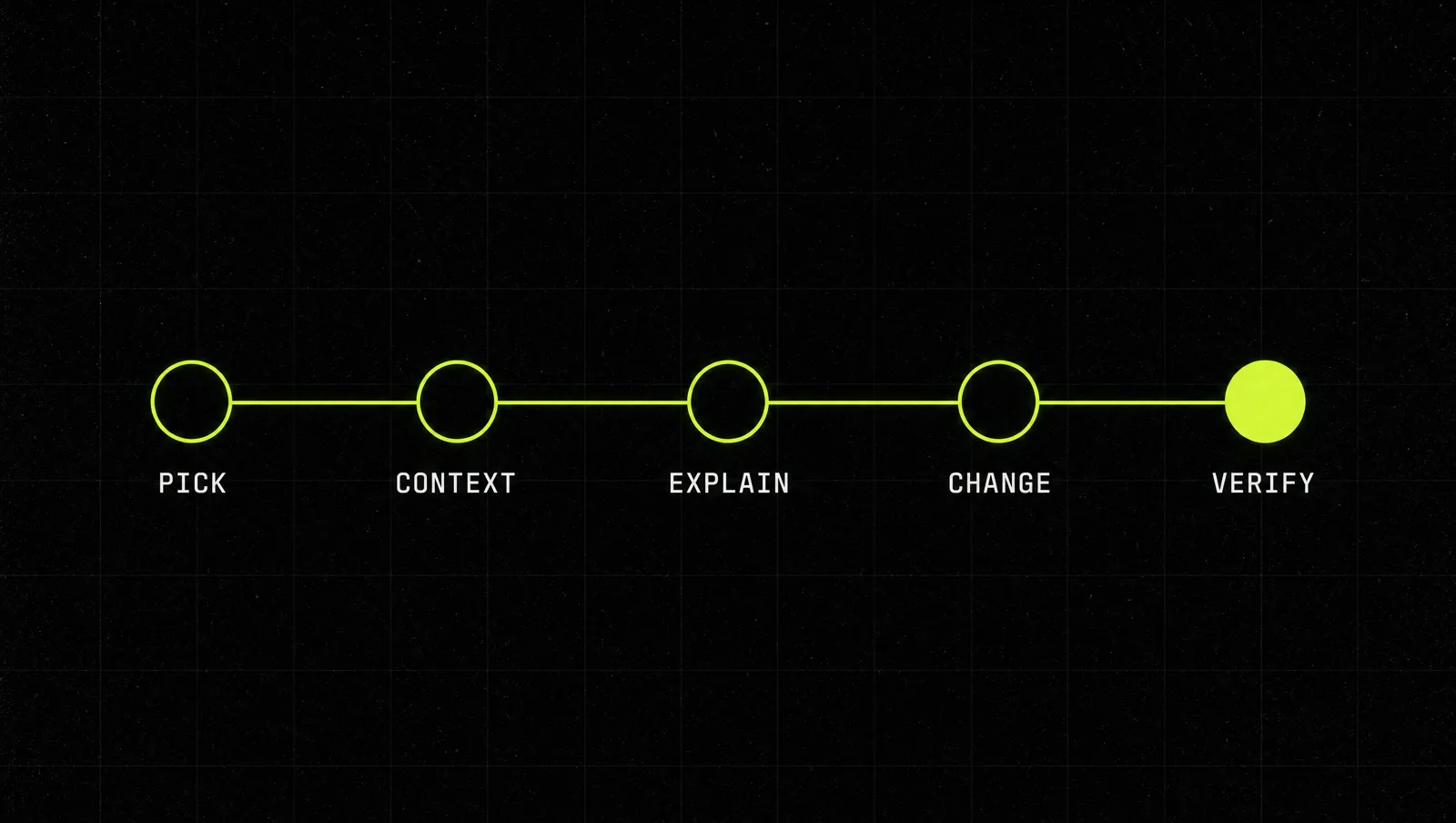
Step 1: Pick the right path
Is the job "understand or change the model we run the business on"? Use the add-in. Is the job "make sense of this export" or "build me a first version"? Upload the file to Claude or describe what you need. Don't force one tool to do the other's job.
Step 2: Give Claude the business context
Tell Claude what the business sells, which tab holds the assumptions and which number matters most ("the cash runway in the summary tab"). In the add-in, put recurring context into Instructions once, so you don't repeat it every session.
Step 3: Ask for an explanation before you ask for a change
The fastest value is often not a new formula. It is finally understanding the model you inherited. Ask Claude to walk you through how a key number is calculated. In the add-in, the answer comes with cell-level citations you can click to jump to the cell (Anthropic). If Claude's explanation surprises you, you just found a bug or a wrong assumption.
Step 4: Change assumptions with guardrails
Now ask for the change: "change the price to X and update everything that depends on it" or "flex churn from 3% to 5% and show the impact on runway". Work on a copy of the workbook first, which is exactly what Anthropic recommends before wide edits. For messy data, ask Claude to clean it into a new tab and keep the raw data untouched, so you can always compare.
Step 5: Verify, then keep the prompt
Check the three or four numbers that drive decisions by hand. Anthropic's documentation says plainly that the add-in is not recommended for final client deliverables without human review or audit-critical calculations without verification. Once a request works, save it as a reusable prompt or a Skill, so the next monthly update takes minutes. That is how a one-off trick turns into part of running your operations with Claude.
Mistakes to avoid
- Opening untrusted files with the add-in. Anthropic warns that downloaded templates and vendor files can contain hidden prompt injections that try to make Claude extract data or change records. Use it on trusted workbooks and read every confirmation Claude asks for.
- Expecting macros. Macros, VBA and data tables are listed as unsupported. If your model relies on them, plan for that.
- Skipping the explanation step. Asking Claude to "fix the model" without first understanding it is how you get a clean looking sheet with the wrong logic.
A real case: how Anthropic's finance team uses Claude for Excel

The clearest documented example of Claude for Excel in daily use comes from Anthropic's own finance team. In a post published on May 22, 2026, Alice Fong from the corporate finance and strategy team describes how she works:
- Her core problem: the numbers in board and monthly materials refresh several times before a presentation, and the commentary across slides has to stay consistent with them.
- She uses Claude for Excel on the financial models themselves, to trace references and diagnose structural issues.
- She uses Claude Cowork for the quarterly board deck, to check that numbers reconcile across slides, and for the monthly financial review, to draft commentary in the team's established voice. Google Workspace and Slack connectors pull in context.
- The result: she reclaims 10 to 20 hours a week, which now go into scenario analysis and forward-looking strategy.
- Colleagues across the CFO organization use Claude for forecasting dashboards, general ledger reconciliations, acquisition screening and tax research.
The pattern is not limited to Anthropic. When Anthropic launched the Claude for Excel beta in October 2025, it described the add-in as able to read, analyze, modify and create workbooks while showing what it changed. And the startup Crunched, an Excel analyst built on the Claude Platform, reports over 50% time savings on Excel modeling workflows for its users.
Look at it through the system:
- Right path for the job: the add-in works on the live models, the chat and Cowork handle the documents built on top.
- Explanation first: tracing references and diagnosing structure comes before changing anything.
- Guardrails: a human still owns the narrative and the final numbers that go to the board.
- Repeatable: the same workflow runs every month and every quarter, which is where the hours come from.
The lesson: the time savings didn't come from Claude writing clever formulas. They came from handing Claude the checking and reconciling work that eats hours every cycle, and keeping the human on judgment.
Three use cases
The examples below are illustrative, not real clients. They show how the same system looks in very different businesses.
Use case 1: Agency owner with a messy client report
Before: every month someone pastes ad exports from three platforms into one sheet and spends half a day fixing formats.
After: the exports go to Claude with one saved prompt: clean the data into one table, flag anything that doesn't add up, and produce a summary sheet with a chart per client. The owner checks the totals against the platforms and sends the report.
Use case 2: Solo founder with an inherited financial model
Before: a cash flow model from a former co-founder that nobody fully understands. Every "what if" question gets answered with a guess.
After: in the add-in, the founder asks Claude to explain how runway is calculated, gets the answer with cell citations, and then flexes price and churn on a copy of the model. For the first time, the model answers questions instead of creating them.
Use case 3: Ecommerce store planning inventory
Before: reorder decisions based on gut feeling and a sheet with one hard-coded growth rate.
After: the owner uploads 12 months of sales per product and asks Claude to build a new .xlsx with monthly demand by product, a reorder point formula per SKU and a chart of the top sellers. The formulas stay editable, so next month only the data changes.
How we run this with Claude
Inside CopyPasteCEO we run spreadsheet work as a small set of saved Claude prompts. Here are the first two, copy-paste ready. Fill in the brackets. For more, see our Claude prompts for founders.
Prompt 1: understand and audit an existing model
Make it yours · 0/2 filled
You are a financial analyst reviewing a spreadsheet model for a founder. My business: [WHAT YOU SELL] to [WHO]. The number I care most about is [KEY OUTPUT, e.g. cash runway in cell X]. First, explain step by step how that number is calculated, citing the cells and tabs you use. Then list every hard-coded value that should be an assumption, every formula that looks inconsistent with its neighbors, and every assumption that looks unrealistic for a business like mine. Do not change anything yet. End with the 3 fixes that would matter most, ranked by impact.Prompt 2: clean data and build a decision sheet
Make it yours · 0/1 filled
Here is my raw data: [FILE OR DESCRIPTION OF THE EXPORT]. Clean it into one table in a new tab: consistent column names, one date format, no duplicates, and a list of every row you changed or removed and why. Keep the raw data untouched. Then build a summary tab that answers this question: [BUSINESS QUESTION, e.g. which products should I reorder this month]. Use working formulas, not pasted values, so I can update the data next month. Add one chart that shows the answer. Finally, tell me which 3 numbers I should check by hand before I trust the result.These two prompts cover the everyday jobs: understanding the model you run on and turning raw exports into a decision. Deciding which assumptions are realistic, and which numbers go to investors or the bank, is where most people get stuck, because that is where judgment matters more than formulas.
Where most people get stuck
Installing the add-in takes five minutes. Getting reliable answers out of your spreadsheets every month is the hard part. The usual reasons people stop:
- They treat Claude like a formula generator. They ask for one VLOOKUP at a time and never use it to understand or stress-test the model itself.
- They skip verification. One wrong number in a board deck, and they stop trusting the tool completely instead of adding a check step.
- They never save the workflow. Every month starts with a blank prompt, so the time savings never compound.
That is exactly the gap the Inner Circle is built for: the playbooks to run your numbers with Claude, a new playbook every week, and founders who are building their own systems next to you.